All New Products to Sell
Tickets and passes? Burgers and sweaters? Raising funds via multiple tiers with a fundraiser? Box Office adapts to all of these needs for schools, volunteers, and fans.

Re‑engineered the legacy POS into a unified ticketing, concessions & fundraising platform—offline resilient and cash‑mode compliant for low‐connectivity schools.
View Live App:

To comply with non-disclosure agreements, I have omitted and obfuscated confidential information in this case study. All information in this case study is my own and does not necessarily reflect the views of PlayOn.
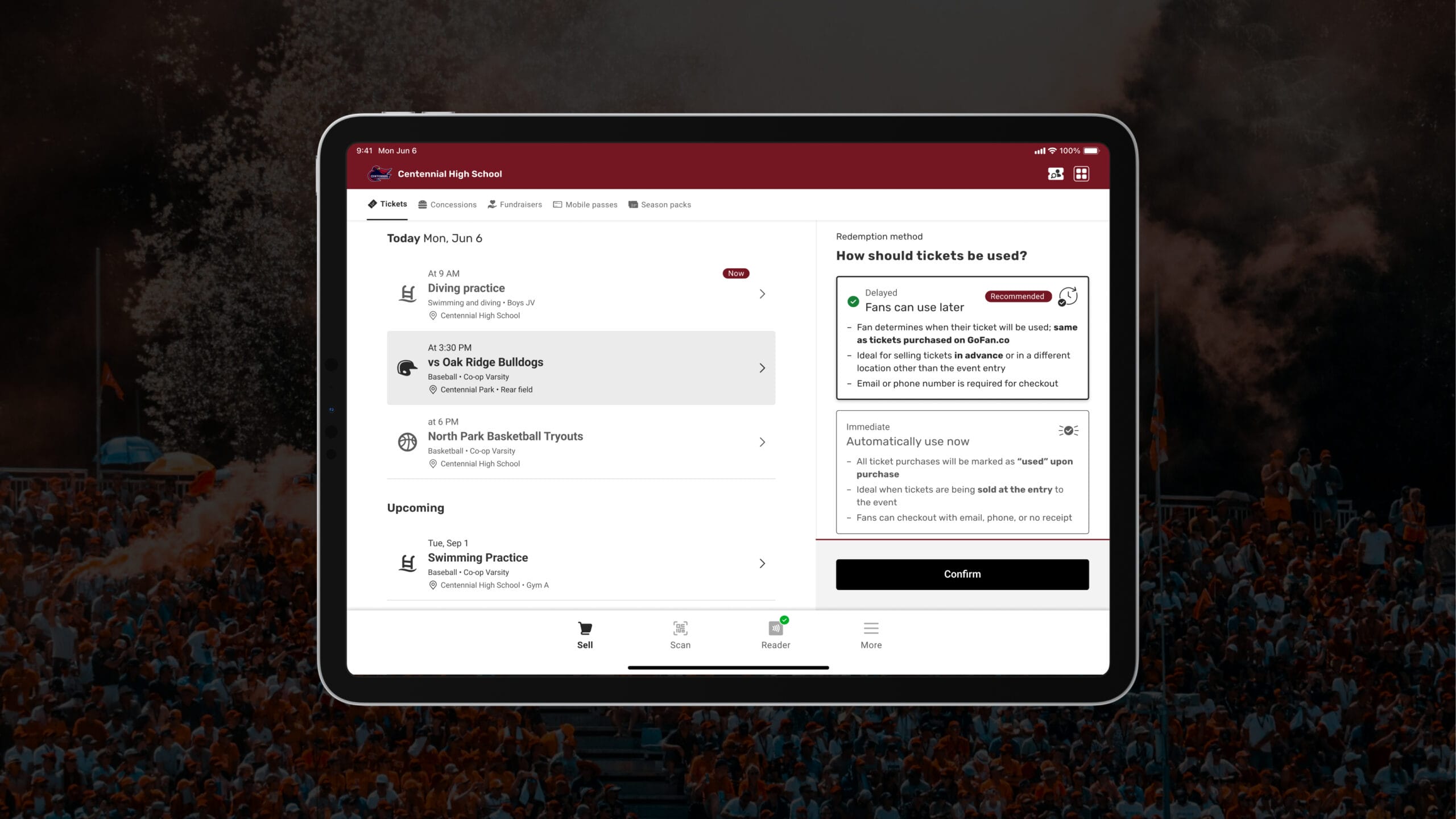
In just 3 years, Box Office transformed from a local vendor of high school sports ticketing for schools regional to Atlanta to over 8,000 schools across America as the leader in high school sports event ticketing. By 2025, Box Office alongside companion app GoFan has partnered with over 80% of all state associations, adopting over 8,000 schools , and powering over 30 million tickets sold nationally.
The original Box Office app designed in 2016 struggled to scale with the unprecedented pandemic and rapid growth of the company soon after. COVID-19 made touchless sales mandatory, exposing PlayOn’s ticket‑only Box Office as an ad hoc POS.
It could not cope with spotty connectivity, unpredictable mandatory card‐reader updates whilst gates open, or the rapidly growing demand for concessions / fundraisers, non-athletics support like performing arts, and cash‑mode compliance. Schools—many in rural, under-resourced districts—inherited revenue‑risk and operational gaps rather than simple UX bugs.
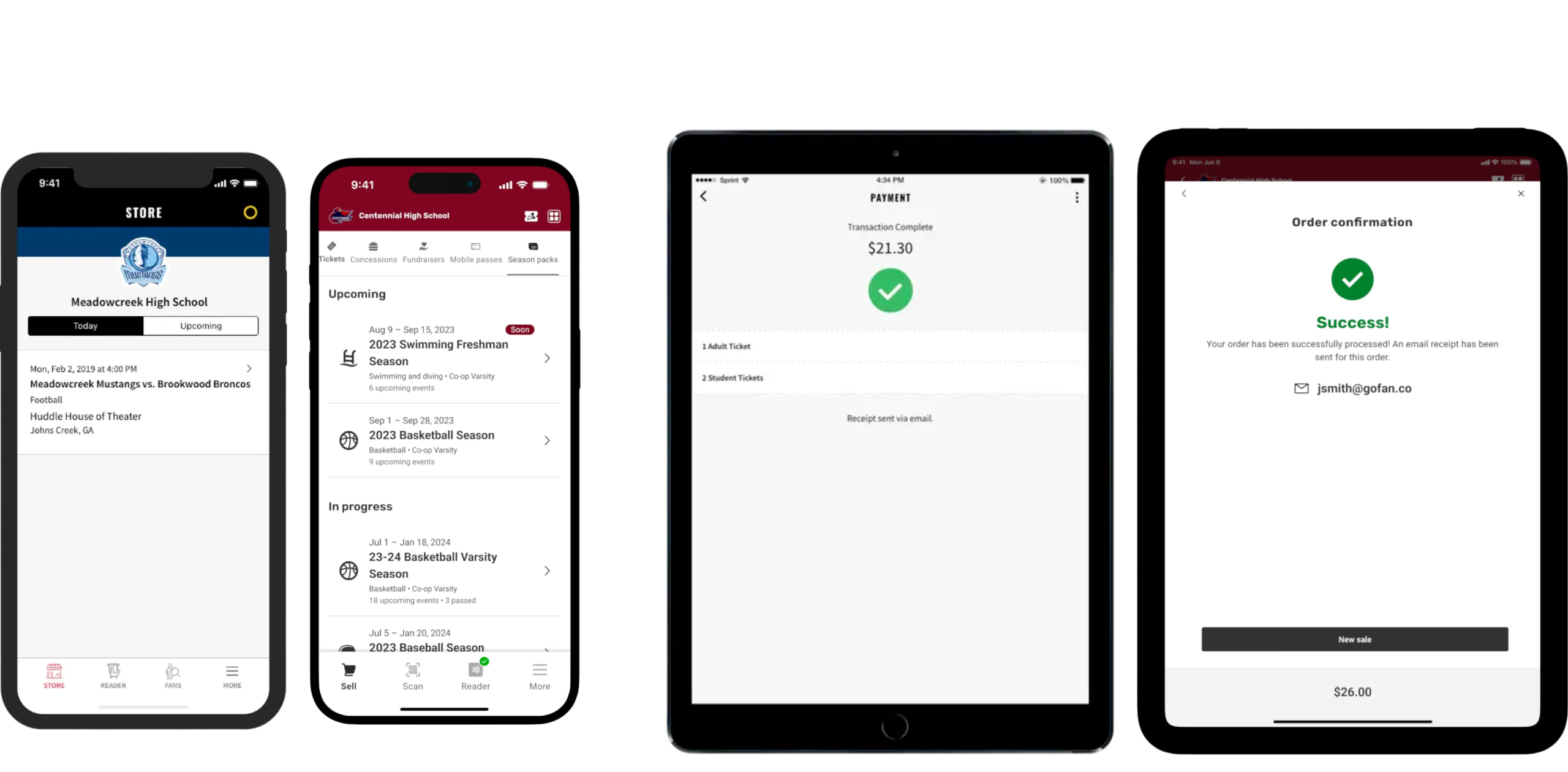
The evolution of the Box Office app showcasing mobile (left group) and tablet (right group) from 2022 to 2025 (left to right).
Our goal and challenge of the project was to successfully combine a completely new way for fans to attend events while navigating the uncertainty of the pandemic.
I led Box Office’s end-to-end redesign between January 2022 and October 2023, and async led initial designs on multiple arms of the business including GoFan and the fintech dashboards in PlayOn’s HQ. Combined helped me get a detailed view of the aggregated and complex data points across the company.
I partnered with 3 product managers* to define and contribute to core flows and system architecture. I also collaborated with our onshore US team that reviewed core development work and built the features dependent on US-based partners. The team consisted of 4 engineers, 2 QA engineers, and 2 data scientists. Together we ensured design fidelity through bi‑weekly syncs, simple prototypes to advanced variable prototyping, and product usage validation with user interviews and iusability sessions, SMEs (subject matter expert), and customer support departments.
At the same time, I worked alongside our offshore Vietnam team that owned the majority of core development consisting of 3 product managers*, 3 developers, 1 QA engineer, and an animation designer. Together, we worked really well despite the 12-hour time difference where we systematically coordinated over Jira stories and Figma comments.
The app launched across America on October 12th, 2023.
* over time due to shifting priorities and rapid organizational growth
When we examined the Box Office users, we found volunteers juggling card readers, parents wrestling with language barriers, and ADs under compliance pressure. It was clear their needs aren’t just about convenience—it’s also rooted in dignity, clarity and control. The existing research I helped shape at GoFan already gave us deep insight into families like John, Paula and Erika, but now we refocused this lens to define seven core roles, each with distinct goals, frustrations and touch‑points that guided every screen we built.

Responsible for financial integrity and legal compliance, these teams can’t afford chargebacks or audit failures — especially when cash is involved.
Process all sales (digital and physical) with full audit trails — no exceptions
The old app let schools log cash sales, but offered no tax logic or receipts — creating risk.
Weekly financial reconciliation in PlayOn HQ, where missing data means lost trust.

A seasoned leader who’s been managing events for over a decade, Rusty doesn’t want to be “the guy” fixing tech issues — he just wants games on time.
Run events smoothly without having to troubleshoot every minor glitch.
The app breaks at critical moments — and he’s left scrambling to explain it.
Event summary report at 8 PM — where a missing sale or failed refund means an audit headache.

A data-driven leader who wants to modernize the program, Heather sees technology as a tool for growth — not just transactional.
Use real-time data to improve fan experience and event revenue — not just “keep the lights on.
The old system didn’t report concessions or fundraisers separately — making it hard to prove ROI.
Financial Hub dashboard during post-event review — where incomplete data means lost insight.

A lifelong supporter who attends rival games and streams events live, Jake wants to feel connected — not just as a fan but part of the community.
Buy spirit wear and get game-day access — all in one seamless flow.
The app doesn’t let him buy merch or access mobile passes — leaving a gap in his loyalty.
Mobile pass redemption at the venue, where he wants to feel like a true member.

A devoted supporter who speaks only español at home, Erika feels excluded when the app offers no support in her language — especially during critical moments like ticket redemption.
Explain the process to community members without feeling embarrassed or lost.
Limited Spanish support in digital tools, can’t read instructions, or scan tickets reliably — feels left out and even dread due to language gaps.
Ticket redemption screen at the gate — where language gaps turn a simple moment into stress.

A hands-on parent running concessions for her daughter’s team, Paula has never used a digital POS before. She relies on cash and spreadsheets — but the old app forced her to log sales manually, risking errors.
Sell food quickly and accurately — without worrying about receipts or refunds
The app didn’t support cash mode, so every sale had to be tracked by hand — and no one trusted the system.
Cash-mode checkout flow during high-traffic halftime — where a single mistake costs the team money.

A weekend volunteer with no formal training, John shows up to manage the gate line — often in low-connectivity zones where card readers sync slowly. He’s not tech-savvy by choice, but he has to keep 50 fans moving.
Get through check-in without delays or failed scans — and know when the system is working.
Spends more time re-syncing card readers than checking in fans — and has no way to tell if it worked.
Card reader sync status during peak entry — where a failed connection means lost time and frustrated fans.
When we began, our first task wasn’t wire‑frames or color palettes. It was mapping the operational truth of how schools actually used Box Office—not as a ticket‑only app, but as an improvised POS. Through field visits at some of some of the most revenue-generating Friday night games, researching school social media, and user interviews, we uncovered a system built for one use case (online ticketing) being stretched to serve dozens.
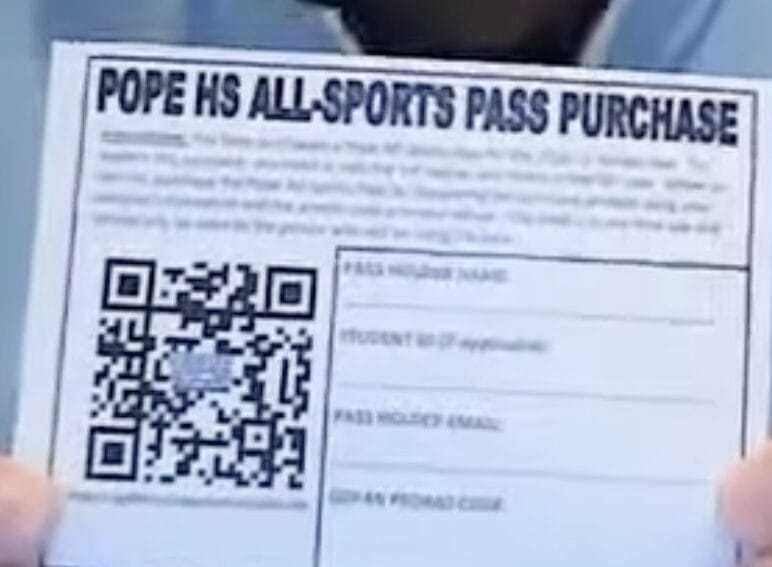
Many schools even had fans stand on the side, fill out a paper pass form while remembering specific instructions of what to fill, and then turn it in for a pass to be processed by school staff to then arrive in their account.
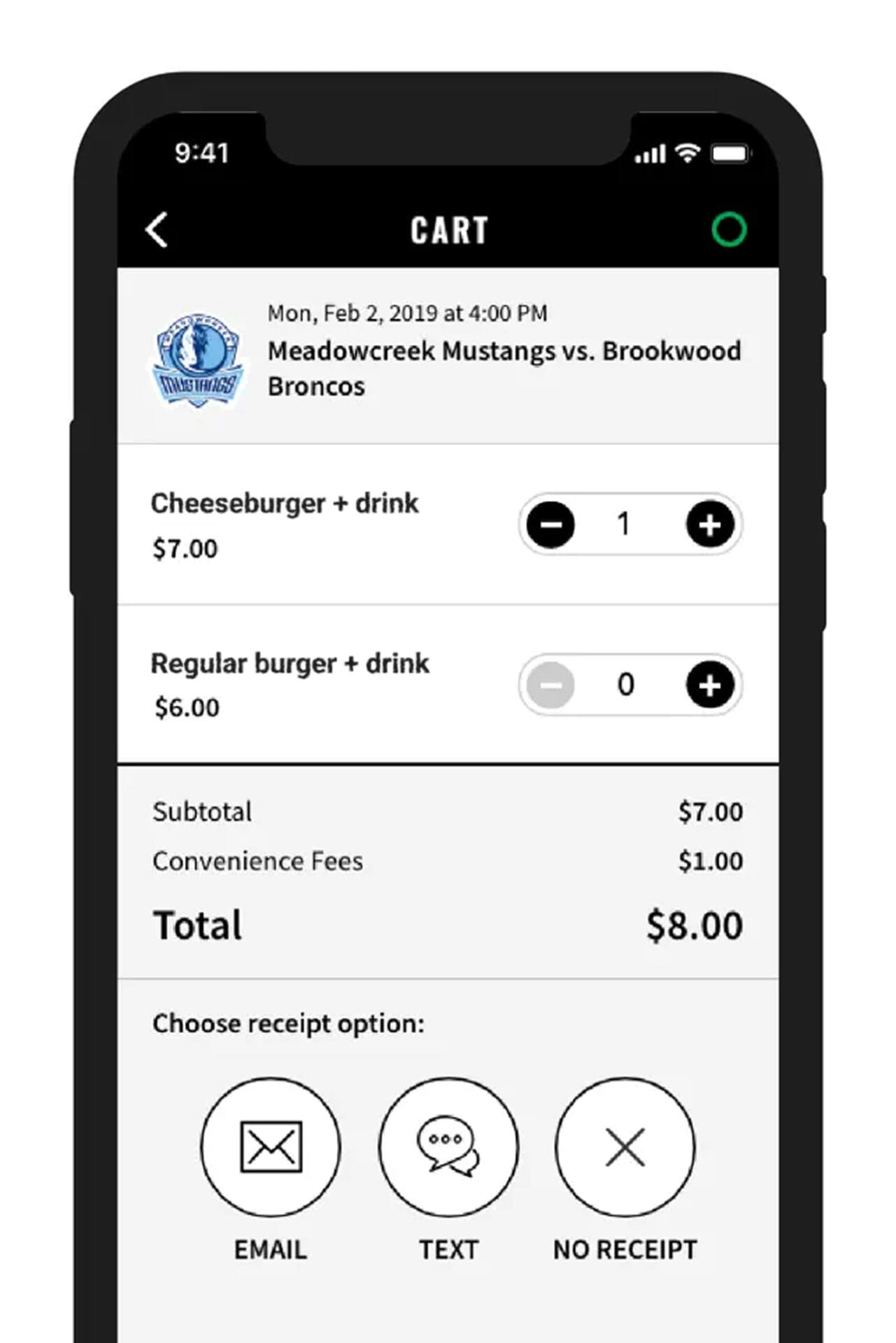
Schools had been selling fries to shirts (and everything in between) as ticket types in an effort to collect payment for sales as a workaround.
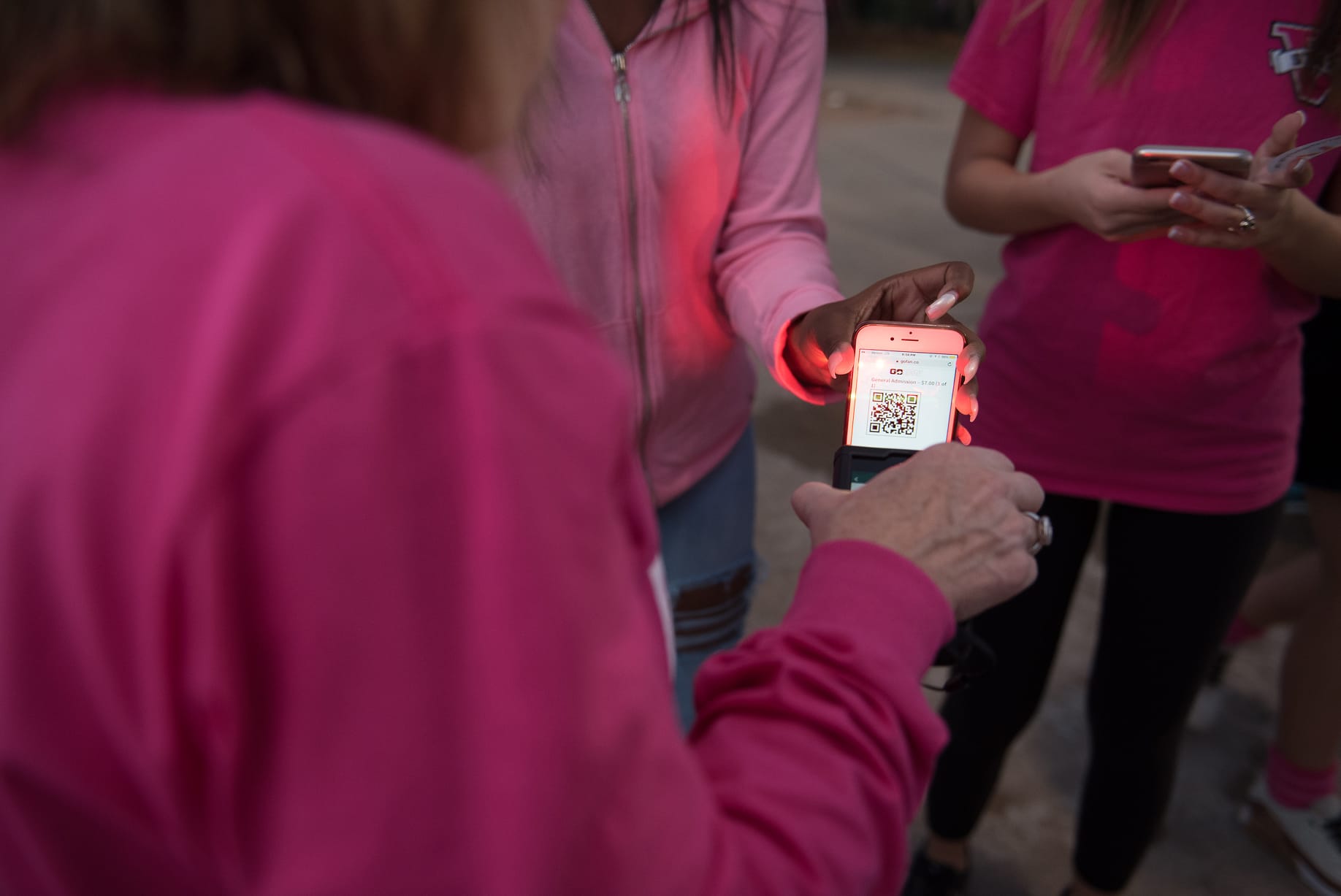
Volunteers resorted to handwritten logs and memory, double‑check ins from failed scans (and charge-backs from having to buy the same ticket twice), and frantic searches for “free” and paid tickets buried in emails.
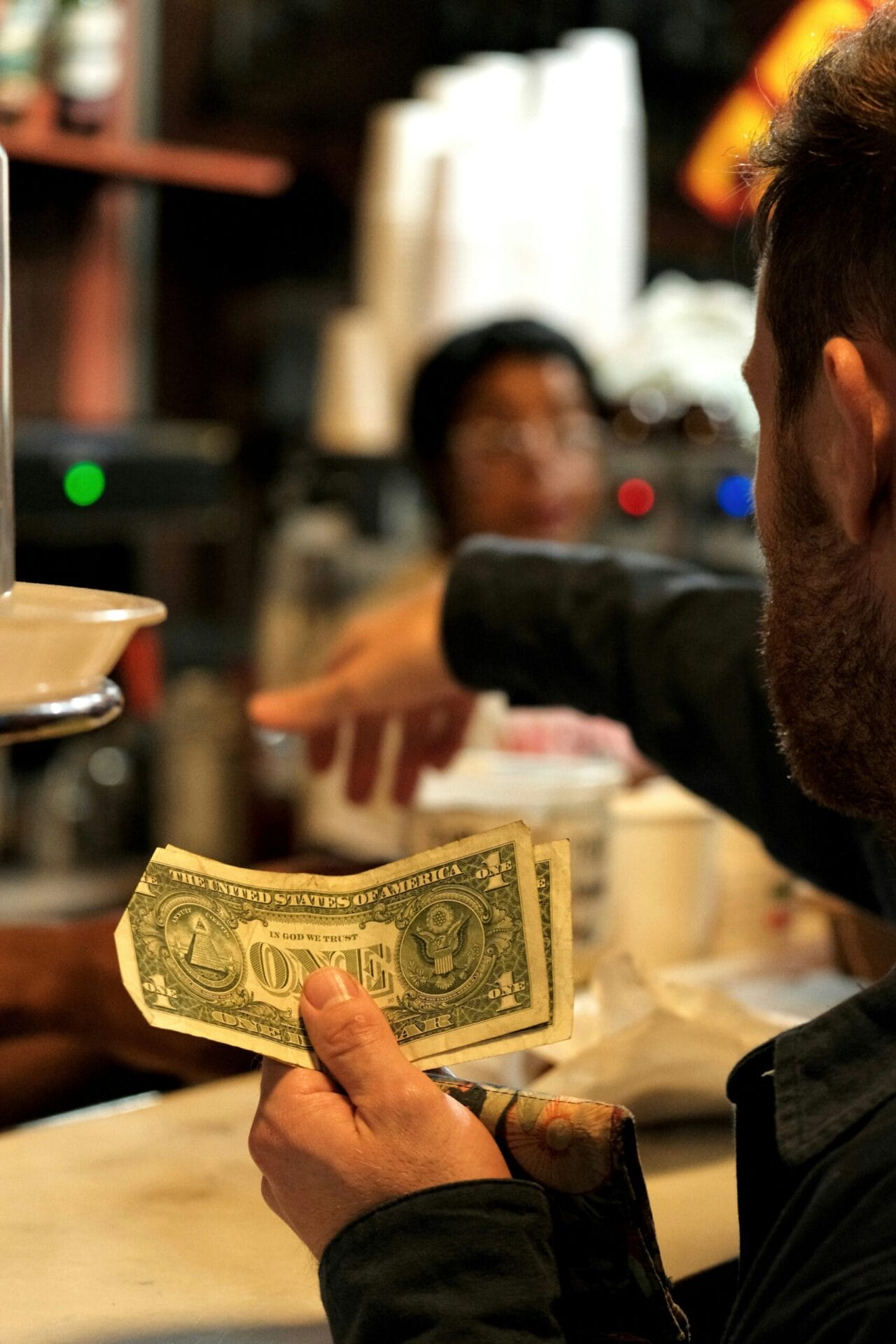
Often there would be 2 lines: cash-only and GoFan / Box Office. Fans questioned the need for our services (considering the services fees) while schools wrestled between lost cash and even safety.
I was surprised by the discovery results we found. It certainly seemed like schools had figured out a rhythm that worked well and the clinks are just part of the territory—frustrating but predictable. After some thought however, it was becoming much more coherent that schools were silently flaring-off a distress signal: they were using what they could to often-times get by. By the time the pandemic hit, Box Office became much more integral for schools, faculty, and volunteers, and their expectations as users of our platform evolved.
“Empathize with your users, then define the problem clearly. That is where innovation begins.”
If affluent schools with dedicated and well-funded programs, trained staff, and considerably more resources were having trouble, how many missed opportunities do other schools contest with that truly need for things to go right? Empathizing with our users revealed an opportunity to reimagine the high school ticketing experience for everyone. This would become the basis for our north star.
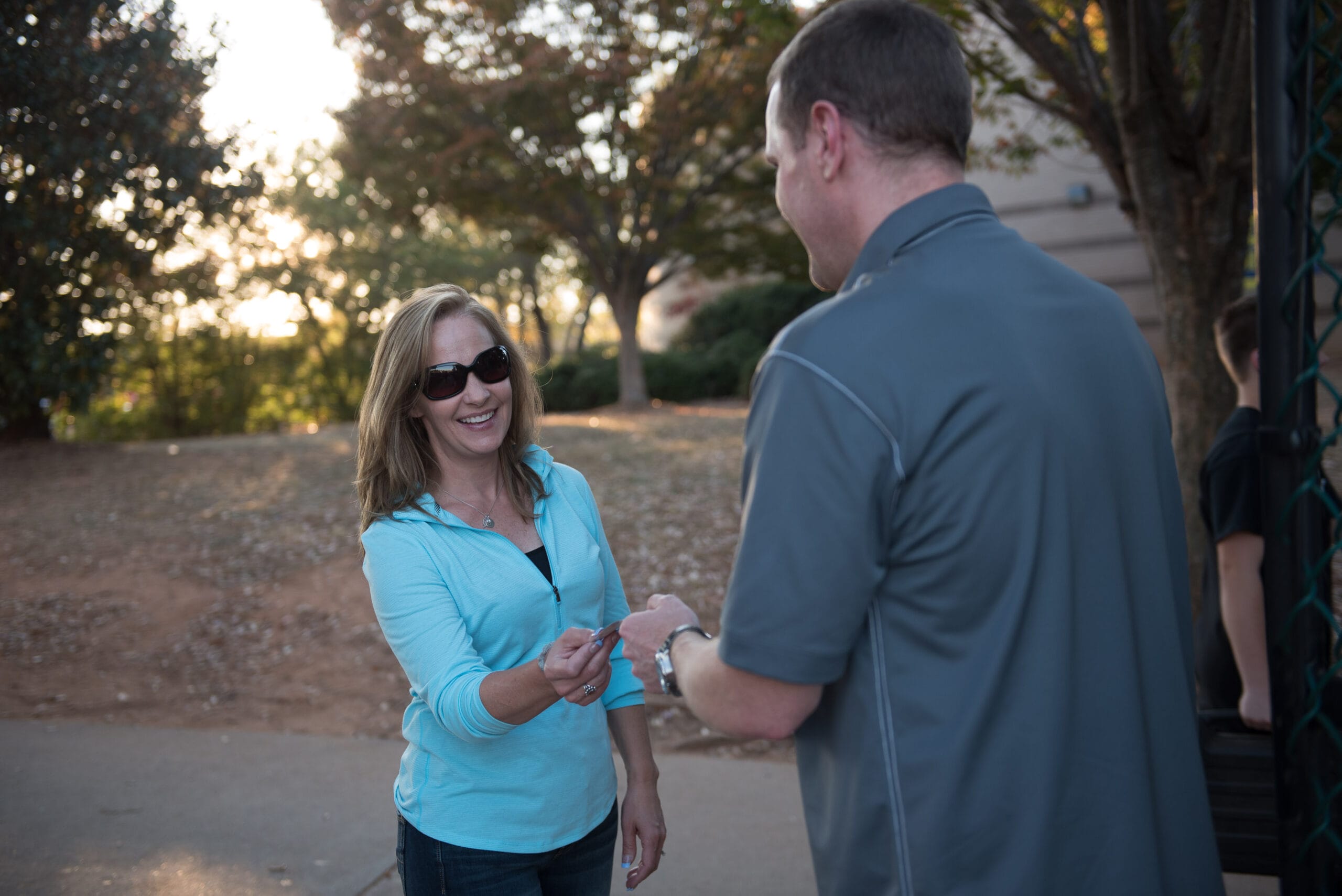
Before any pixel was drawn, it was crucial to define success, and understand the data we had to evaluate our Box Office experience across at scale.
Back before the redesign, chargebacks and customer complaints were the main proxies we had to determine the quality of ticketing at the gate.
I championed for a new quarterly cross‑functional insight meeting that bridged Design together with Customer Support (CS), the 1st point of contact for customers. By collaborating with CS, I was able to get customer satisfaction feedback (CSAT) spreadsheets of 3k+ support tickets. This would later spark a culture shift where CS began flagging issues proactively since they felt heard.
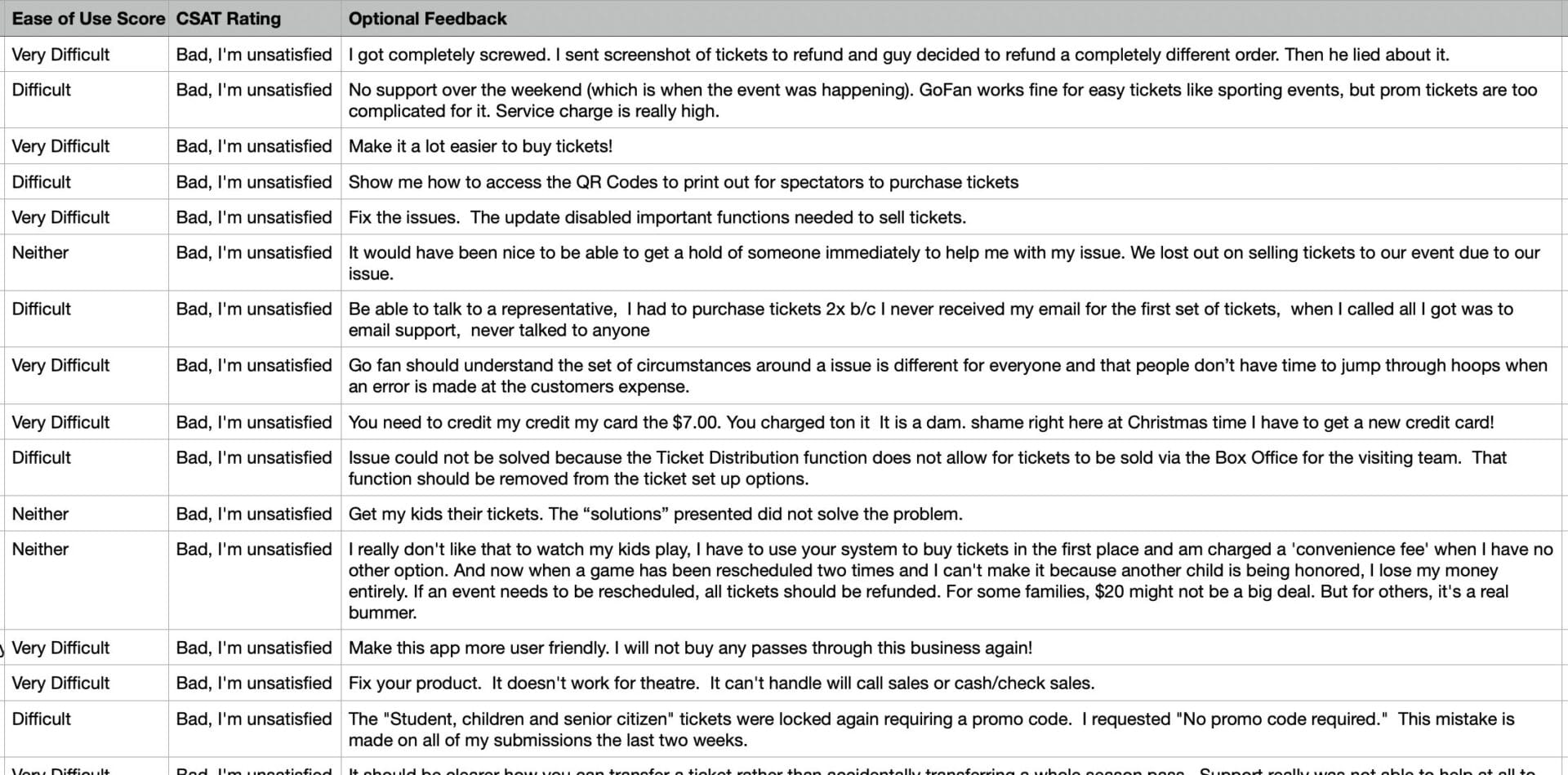
I have intentionally omitted confidential data here.
I manually investigated and leveraged my own local AI pipeline I built to further synthesize this data across thousands of tickets. I also filtered out unnecessary data row and columns, and set up my machine with the right parameters (params) of what the large language model (llm) should do and how to package the results since llms excel at repetitive work. Together, I surfaced massive insights from everyone’s experience, whether it was visiting the game or setting the event up.
Almost all events had relatively minor hiccups to devastating issues in the context of school revenue generation. Issues such as fans needing to buy tickets twice or finding signal to access their email with the order, to needing to buy the same tickets twice (and getting hit with costly chargebacks) or not being able to sell for an event at all. This data demonstrated that the experience was dropping the ball instead of slam-dunking.
To further validate these findings I shadowed live events, noting stress cues from afar whether its vocal disputes between fans and volunteers, timing the full ticket‑to‐entry flow of the lines, and even undisclosed issues such as wheelchair user barriers to entry.
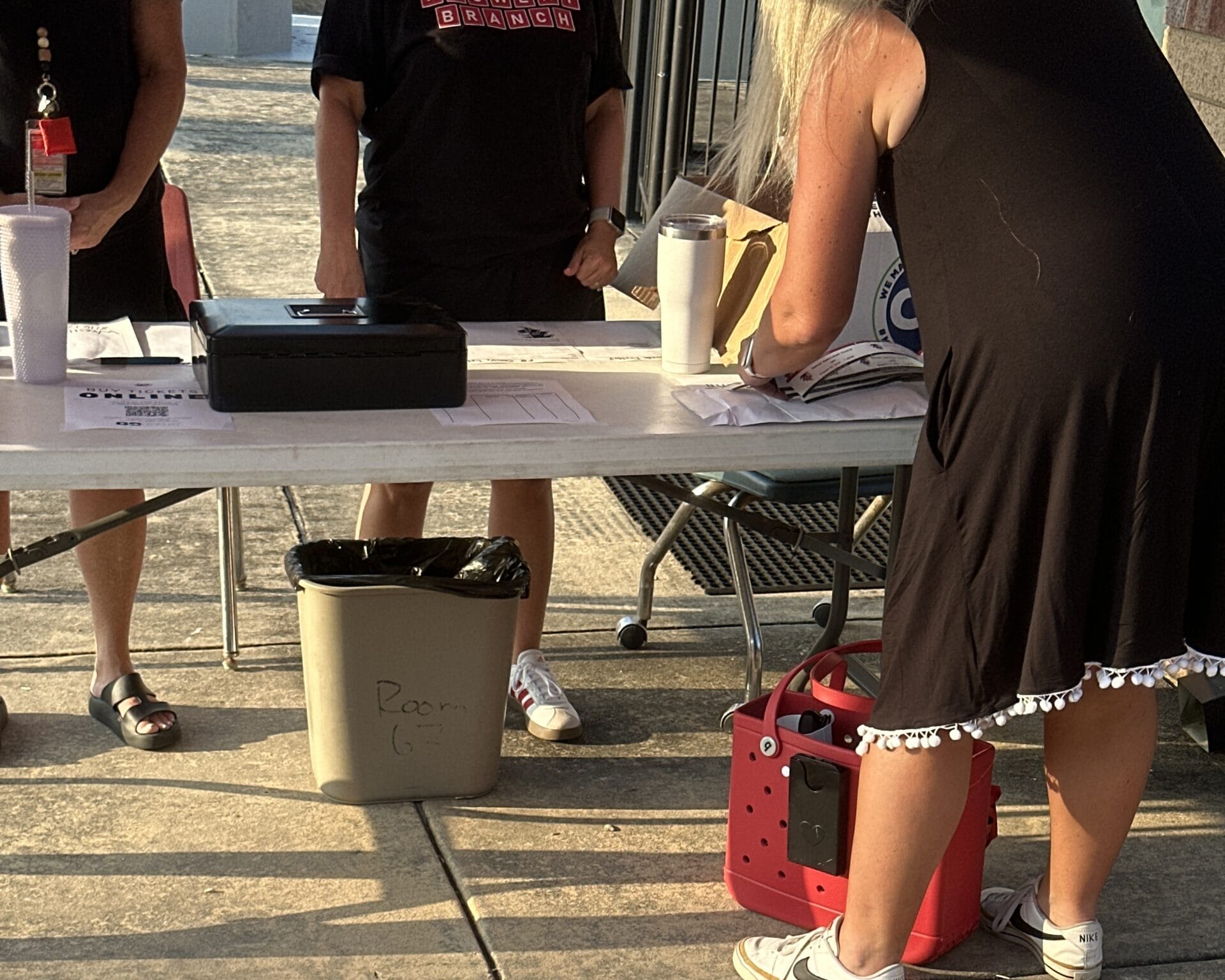
When a fan couldn’t buy a ticket either because of lack of signal, phone died, or because the reader was updating, they’d often times have to fill out a piece of paper exposing name and email in exchange for a ticket, and then pay with cash or not enter if the school didn’t accepted any.
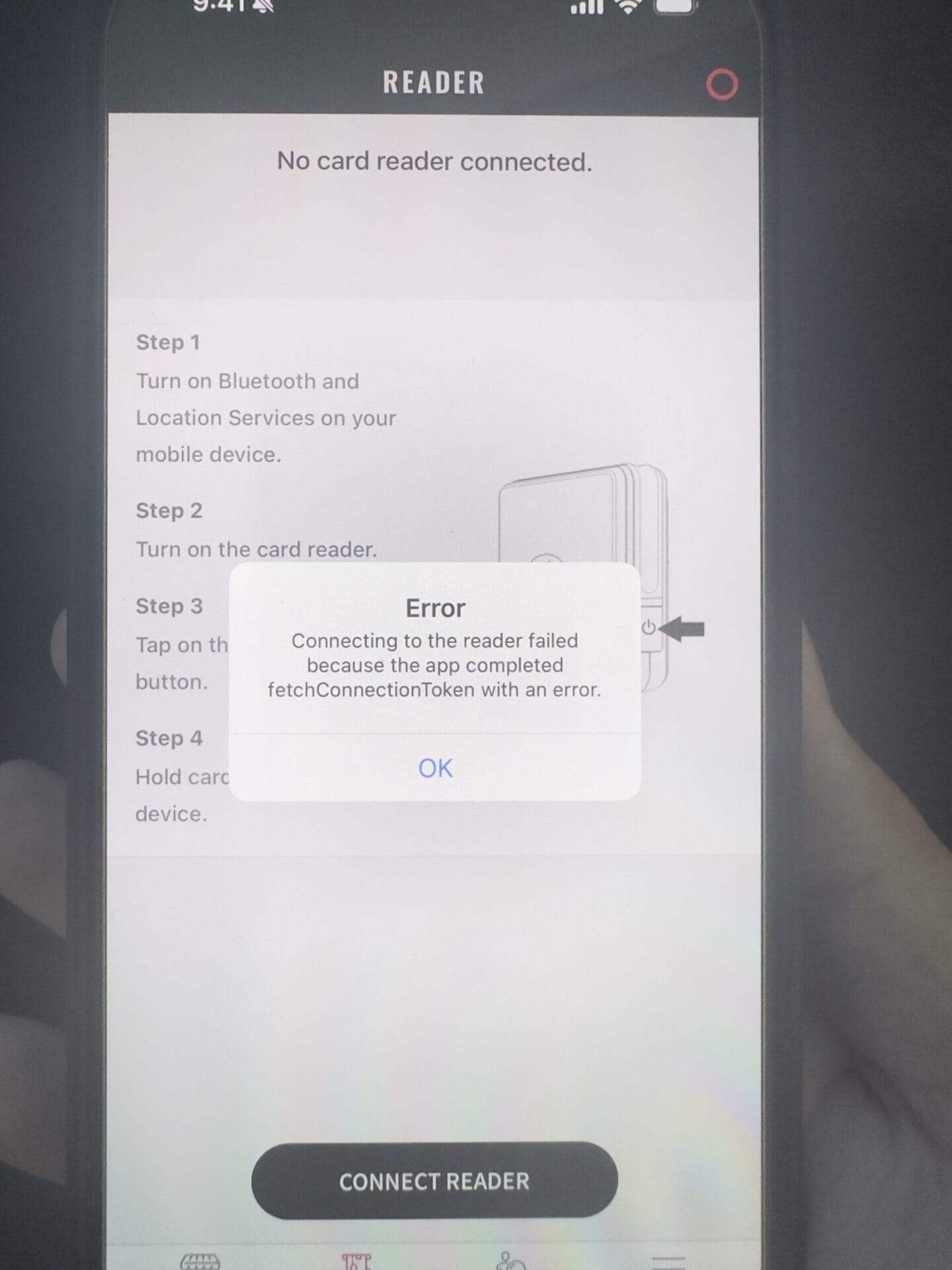
School staff had to update their M2 readers frequently, but it was not intuitive and uninformative. Updates could take up to 15 minutes but had the app had to be left open (an often times would get restarted) and the kicker: readers were always powered on within minutes of gates opening, expecting to be at-the-ready.
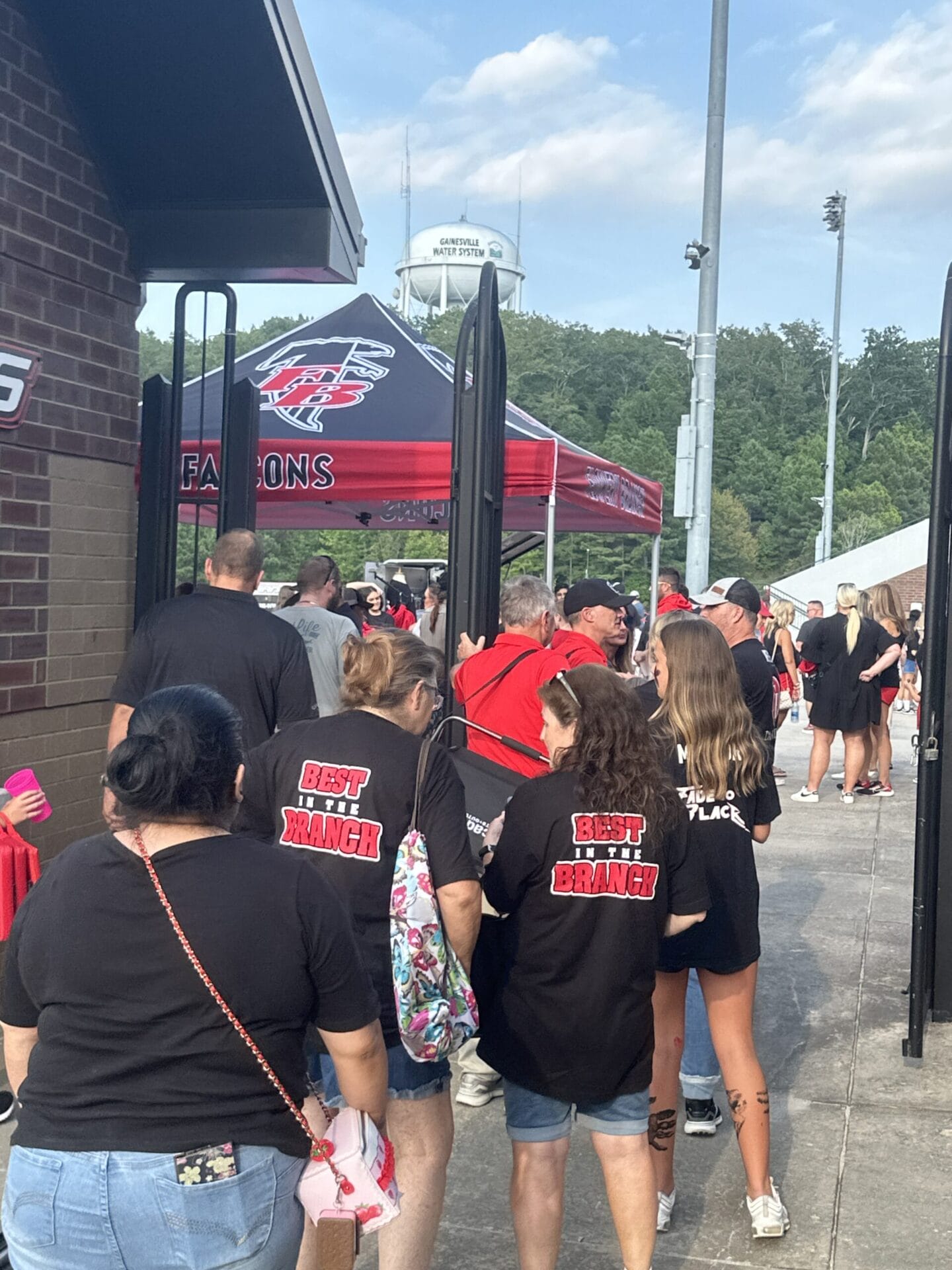
Often there would be 2 lines: cash-only on the left and GoFan / Box Office on the right. Fans questioned the need for our services (considering the services fees) when cash payers didn’t pay extra while their experience seemed like paying extra for nothing. Meanwhile, schools wrestled between lost cash, accurate event reconciliation, and even safety handling cash.
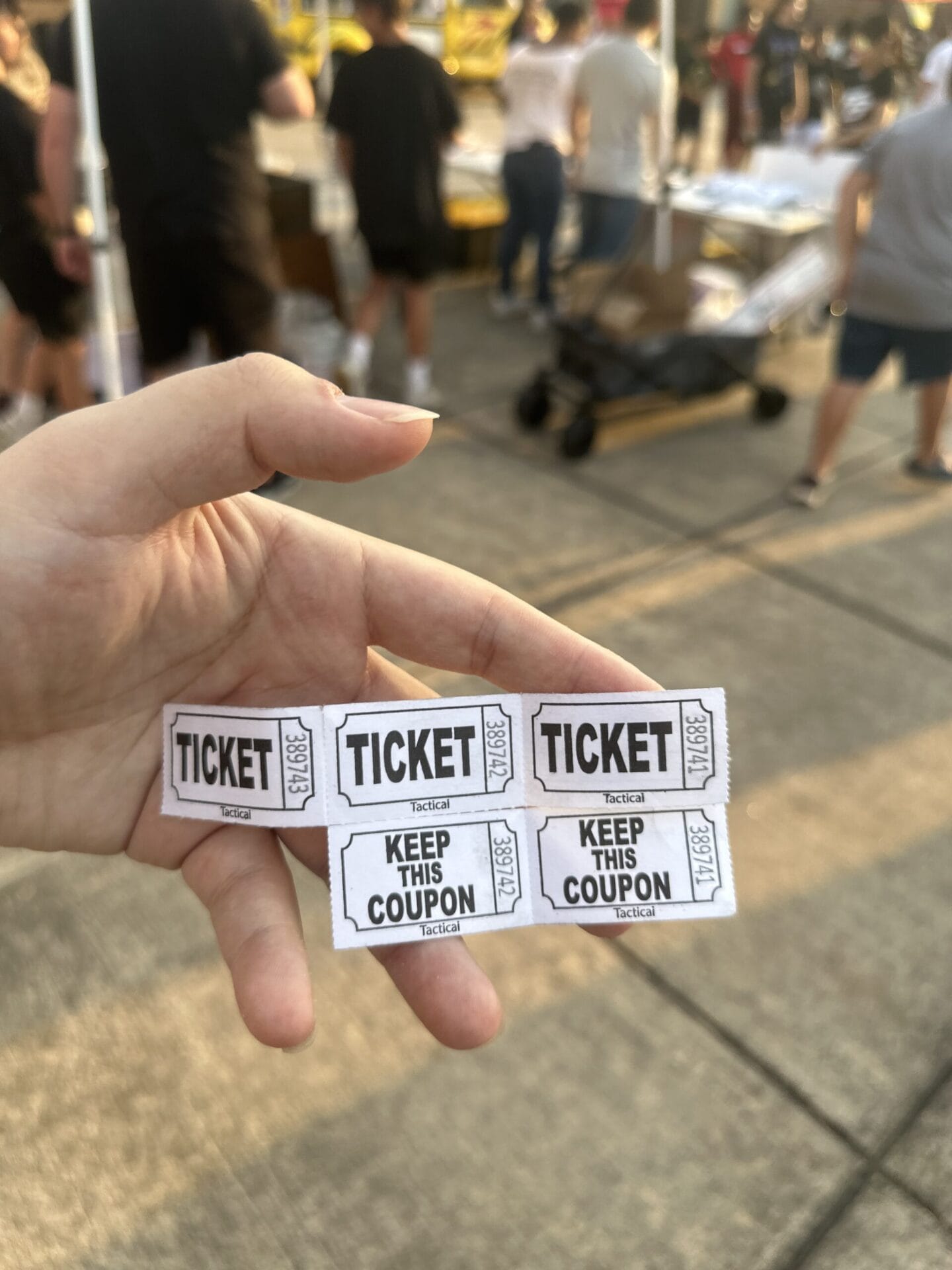
Booster club and program fundraisers are crucial lifelines, but far too often people didn’t know about these unless they were approached by students themselves. It was common to see nearly completely empty buckets, while the raffles like this one gave 50% of the entire pot to a lucky winner that night. I gave my entries way.
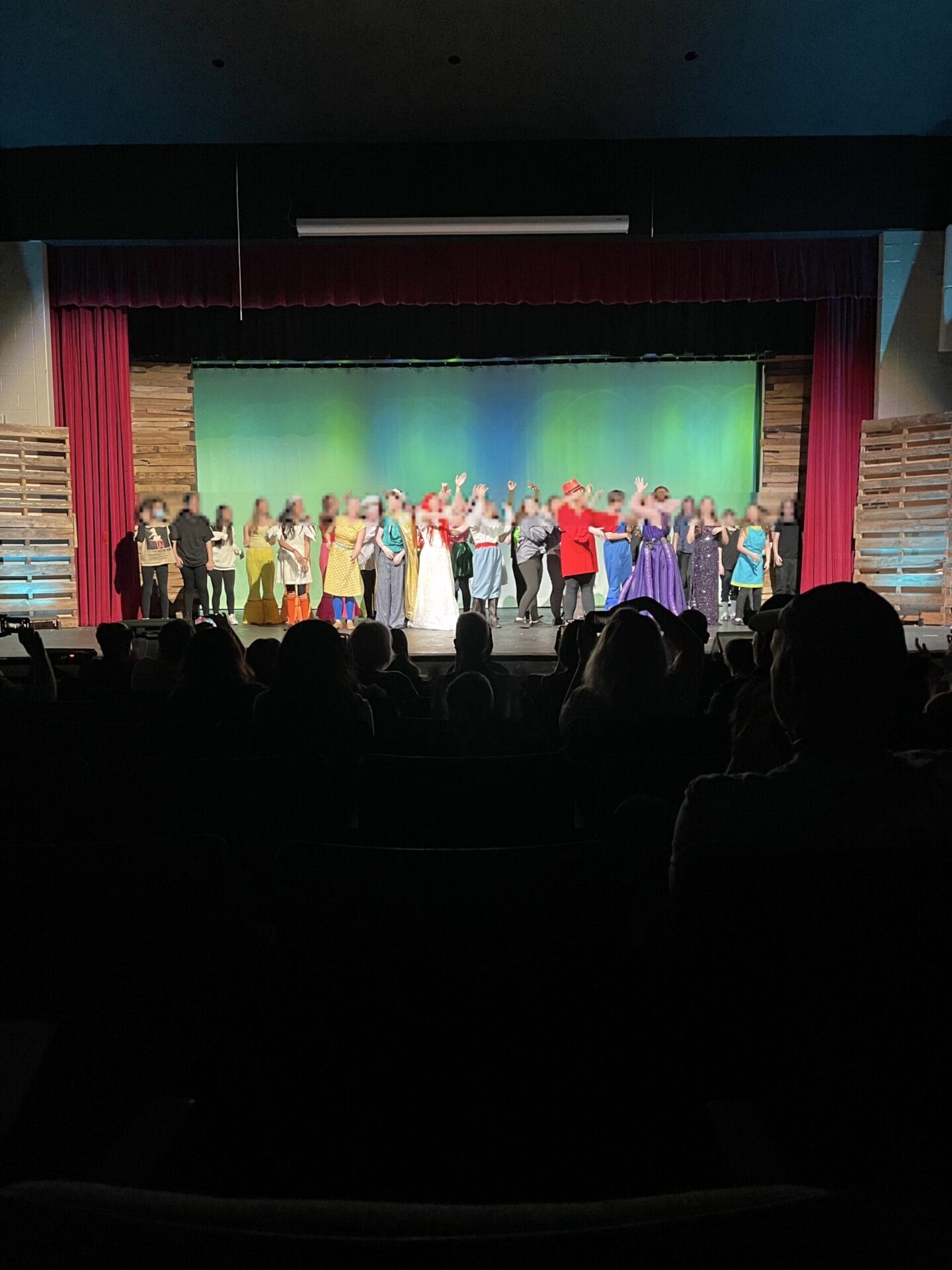
Booking a ticket online worked with GoFan, but buying a ticket on the spot without the app or an account (many events like these couldn’t use guest checkout) meant you stepped aside to download the app or sign up on web (if you even had signal) to then pay for your reserved ticket.
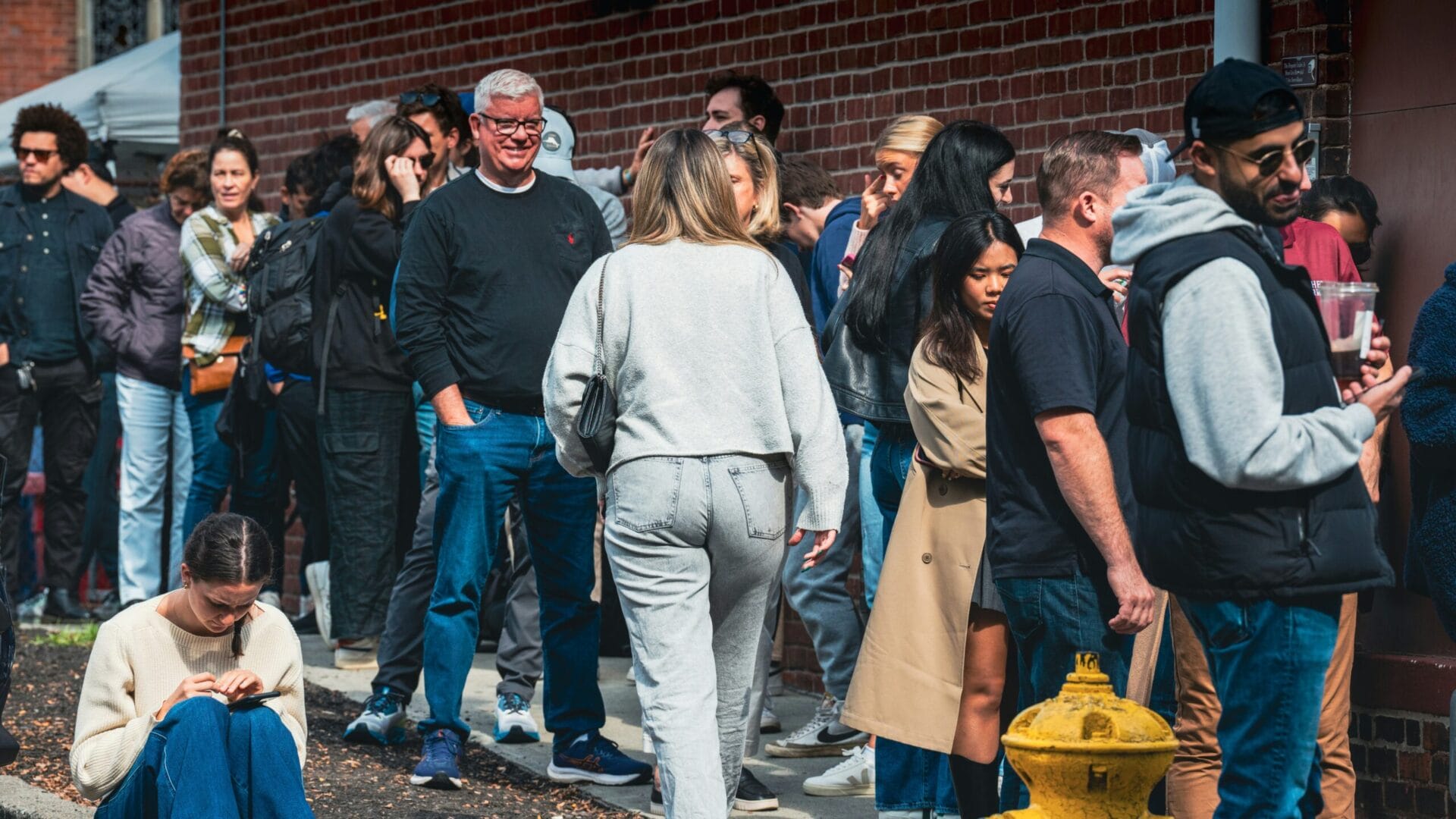
Buying a pass and a reserved seat becomes a huge hurdle when it cannot be done offline—even if some fans have cash but it isn’t accepted (that day)—resulting in lines longer than I-85 traffic and stepping aside to buy online where you have signal as you miss the game.


To my surprise, the issues I found were subtle but deep. It seemed like schools were running smoothly, but underneath the surface had a different outlook. It became clear that schools, ticket takers, and fans expected the experience to just work with minimal effort and friction.
The Box Office app exacerbated school processes with limited app capabilities for schools, impacting how they fostered not just community culture but also instilling confidence from club students to club directors. Decentralized processes and limited capabilities consist of taking cash when nothing else worked, and explaining why service fees are necessary while cash lines breeze by for less, creating frustration, confusion, and voices of disapproval. Limited school communication (which often wasn’t any) to inform fans of how to buy tickets and limitations led to double purchases, standing aside to buy online, or heading back home, created anxiety, unpreparedness and wasted time.
“…how could we improve the high school events experience of everyone involved?”
Our team of product, engineering, and design along with executive leadership wrapped our heads around to answer “how could we improve the high school events experience of everyone involved?” given the many variables at play. Between my core team and me, our mission included Box Office itself as a complete rebuild in the initiative of rolling out the Ultimate Fan App.
Transforming individualized grit to unified enjoyment, GoFan Box Office gives your your time and sanity back by making checkouts fast, effortless and calm. Box Office delivers seamless functionality for you focused on making complex decisions into a tap—empowering you in ways that are understandable and actionable.

Tickets and passes? Burgers and sweaters? Raising funds via multiple tiers with a fundraiser? Box Office adapts to all of these needs for schools, volunteers, and fans.
Selling reserved seats on the spot is now possible, and fans can see their seat data (row and number) via receipts and order confirmation emails. Box Office makes selecting seats easy with an interactive (pan-zoom enabled) map synced with real‑time availability.
Often times friends and families buy multiple tickets that need information. Box Office organizes and guides you to the finish line, now with the ability to 1-tap apply to all tickets.
Whether it’s a unpaired card reader, capturing a payment, or a payment declined, you’ll know supported by intuitively updated button labels. Sometimes things also just happen, but Box Office has you covered.
Fans can now get any receipt type they want once they’ve purchased. Whether a flawless data entry or a simple misspelling, Box Office makes it easy to process—and correct and update—fan details for receipts.
Experience is shaped through awareness and context, so I asked key questions in order to determine design direction:
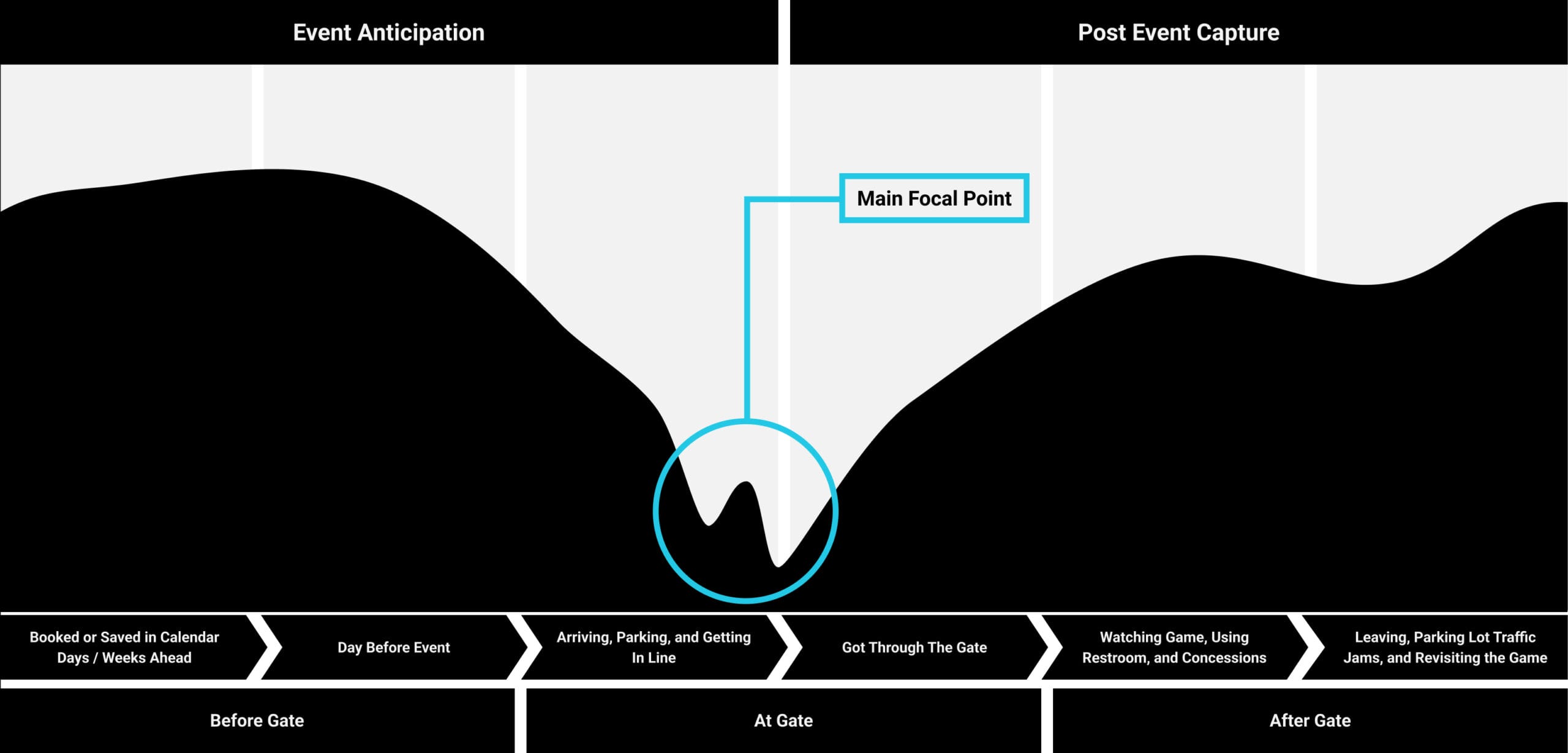
It’s crucial to understand all of the variables–all of the different factors–from the beginning to get a tight grasp on what actually influences ticket taker and fan experience. I created an Entrance | Exits framework for mapping data nodes by awareness → topical relevance followed by context before, during and after transacting at the gate.
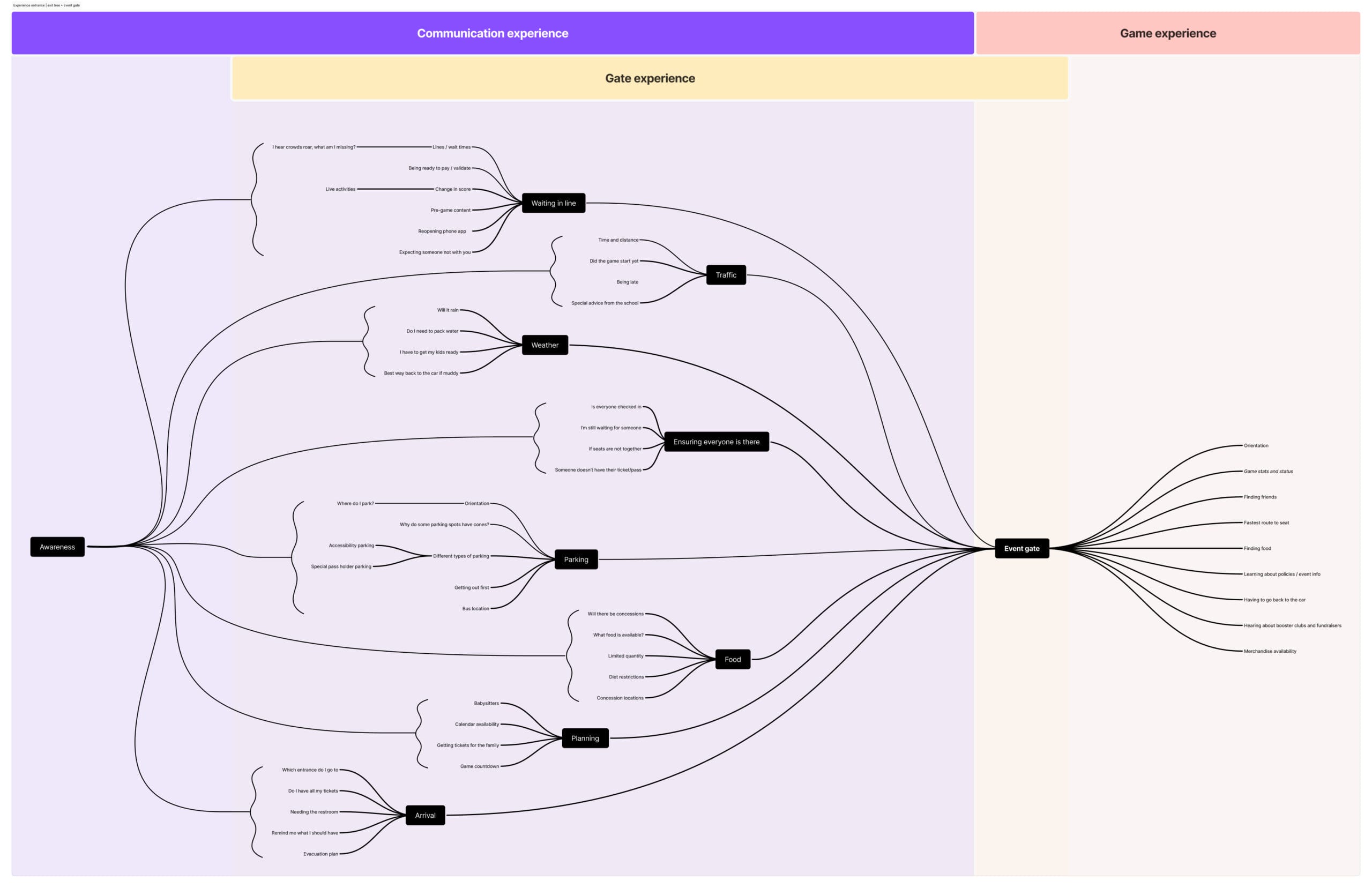
Entrance and Exit • Fan Before, During, and After Gate Transaction
Box Office was poorly designed to handle the variety of user backgrounds, and failed to meet the needs of schools that didn’t have ample resources such as public high schools in contrast to schools that charge $25,000 per year for student admission. I advocated for our users through education and awareness to get passed existing biases and bring focus to designing user-agnostic experiences for everyone at every event.
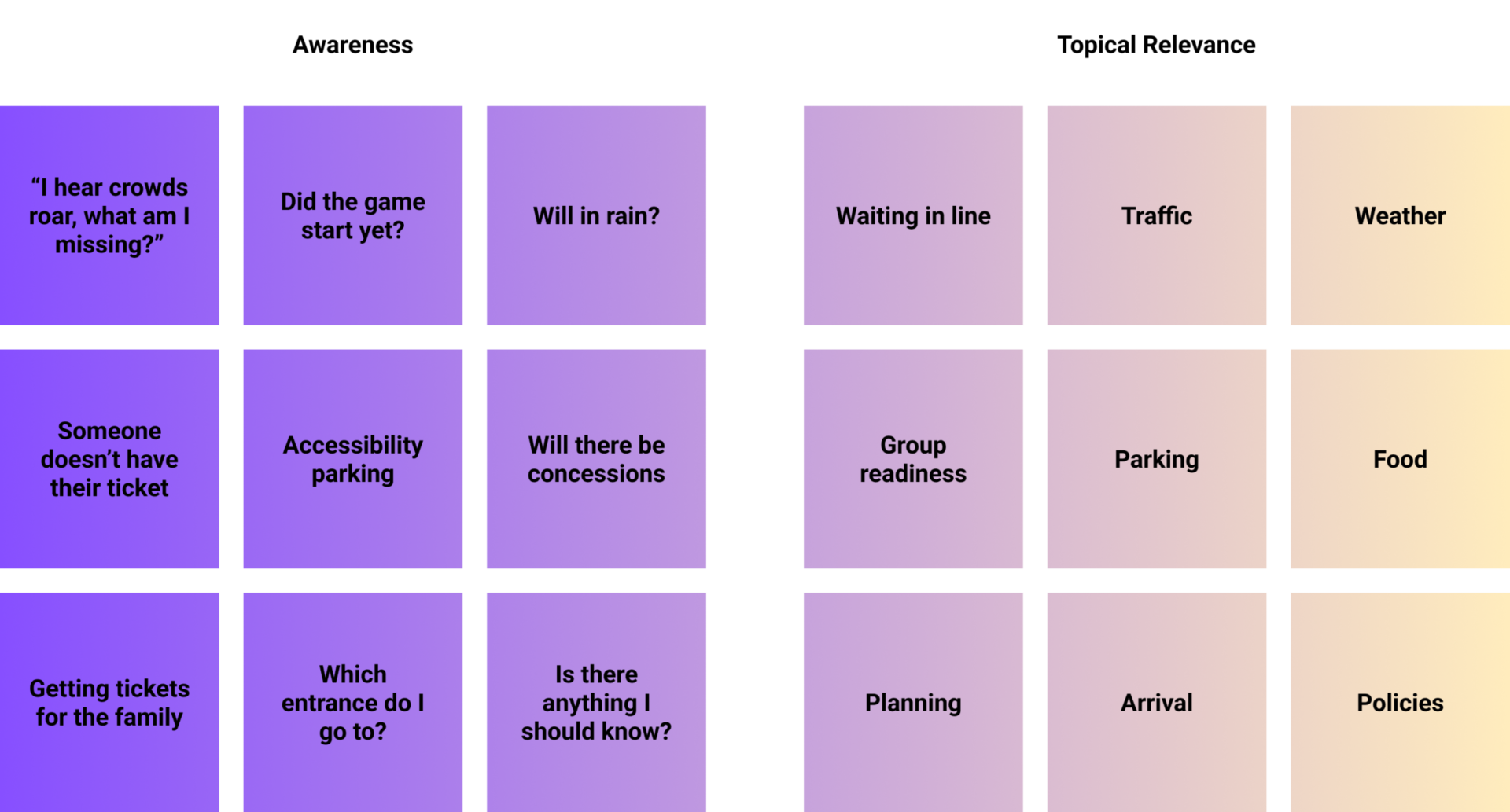
Awareness collects and routes the wide range of “at the event” stimuli that is experienced before transacting at the gate.
Topical relevance groups routed awareness into experiential nodes to investigate, later cross mapped with persona and quantitative data.
Historically, Box Office was poorly designed to handle the variety of user backgrounds and schools that didn’t mirror affluent schools.
This framework helped to refocus—if not change—team challenges with circumstances they’ve never or seldom encountered reinforced further by being in the field with affluent schools. The objective here was to create design solutions through team buy-in and understanding the why when designing for anyone in any event.
I mapped all the possible concepts and translated this into the spectrums and situations framework (adopted from Simon Pan’s Uber case study which is a great way to organize contexts).
In designing for high school events and the diverse roles, I highlighted the range in contexts community members tend to be in, both permanent and temporary, as well as understand the challenges that may occur during transacting.
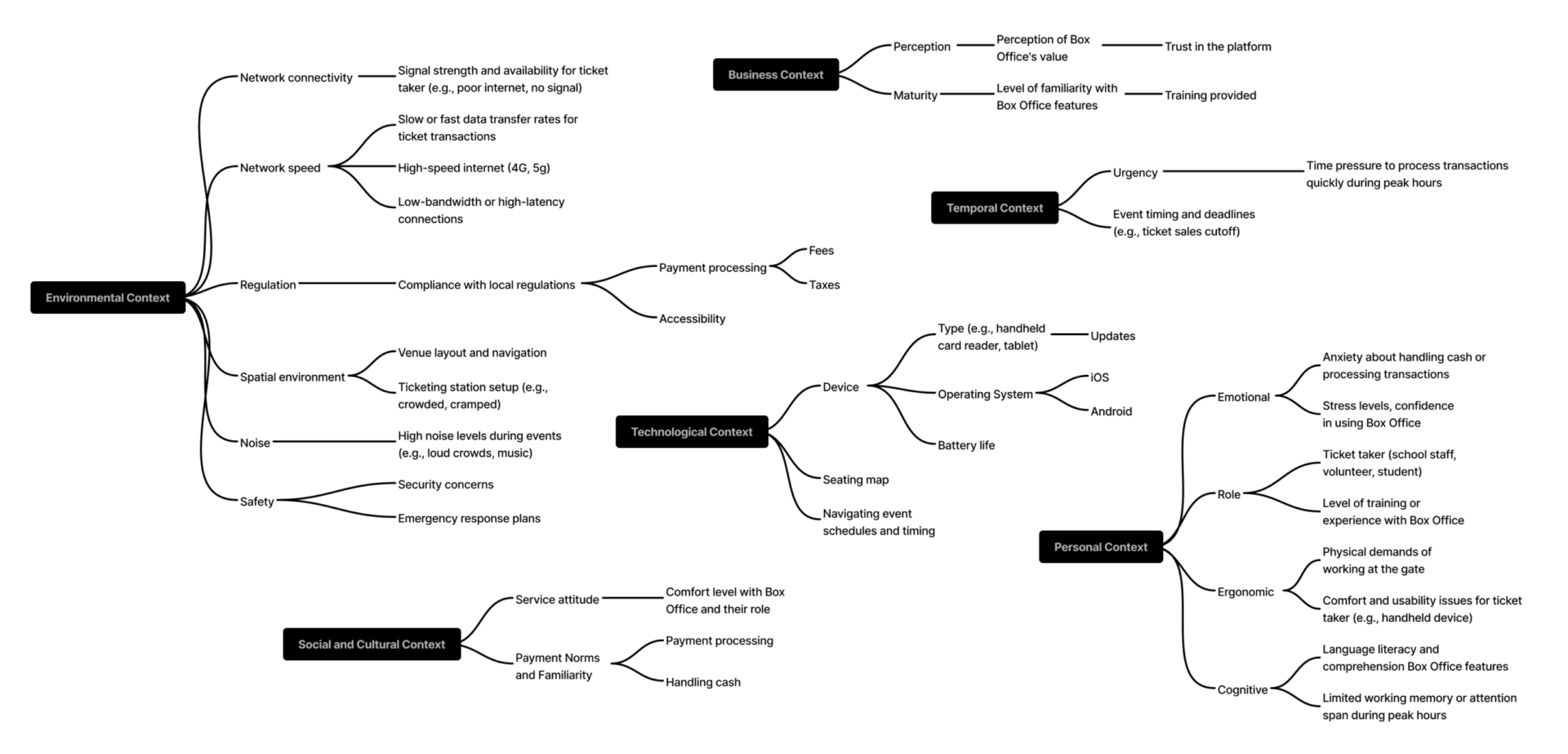
Spectrums and Situations framework
One important step I advocated for early on along with our lead engineer is aligning design with code via a shared vocabulary and nomenclature. When PlayOn moved to React + Expo, design hand‑offs started rendering differently on a variety of devices, compounding by the Sketch → Figma transition our design team agreed on. The solution was a single source of truth for both design and code.
I co-led an initiative with engineering leads to create a unified Design System vocabulary, eventually to be created later in Storybook. Every component (button, dynamic-sheet), state variant (button–primary, dynamic-sheet–shown), and token variable (var) and aliases (e.g., primitive-color (design source vars) → semantic-color (for grouping design related vars) → $colorPrimary (code var)) now lives in both Figma and the codebase. This led to an incredible near-zero hand-off inconsistency between design and engineering.

Nearly 1,000 variables created across light and dark mode colors (PlayOn and shared mock school brands), booleans (behavioral / variable data), strings (text and labels, and even image switching in prototypes), and numbers (calculations, and variable data).
Aligning with engineering are always fun opportunities to learn. Through our early discussions as a team, engineering spikes would lead to eventual efforts such as leveraging expo capabilities. I’ve learned about Expo through their discussions that I can suggest pathways if an organization uses it, which is valuable in early design / engineering discussions. Here is an example engineering leveraged, and that I now know to consider for future Expo projects:
Ticket takers outside on a sunny day struggled to scan QR codes accurately. As a way to promote faster scanning in bright environments, I’d have defined three Figma states:
Data collection, empathsizing, and reframing allows me to think about ideal circumstances, fueling creativity and relevance while considering business constraints. Many discussions as a team emerged, and we ultimately set on 4 focal points, each with its own challenges:
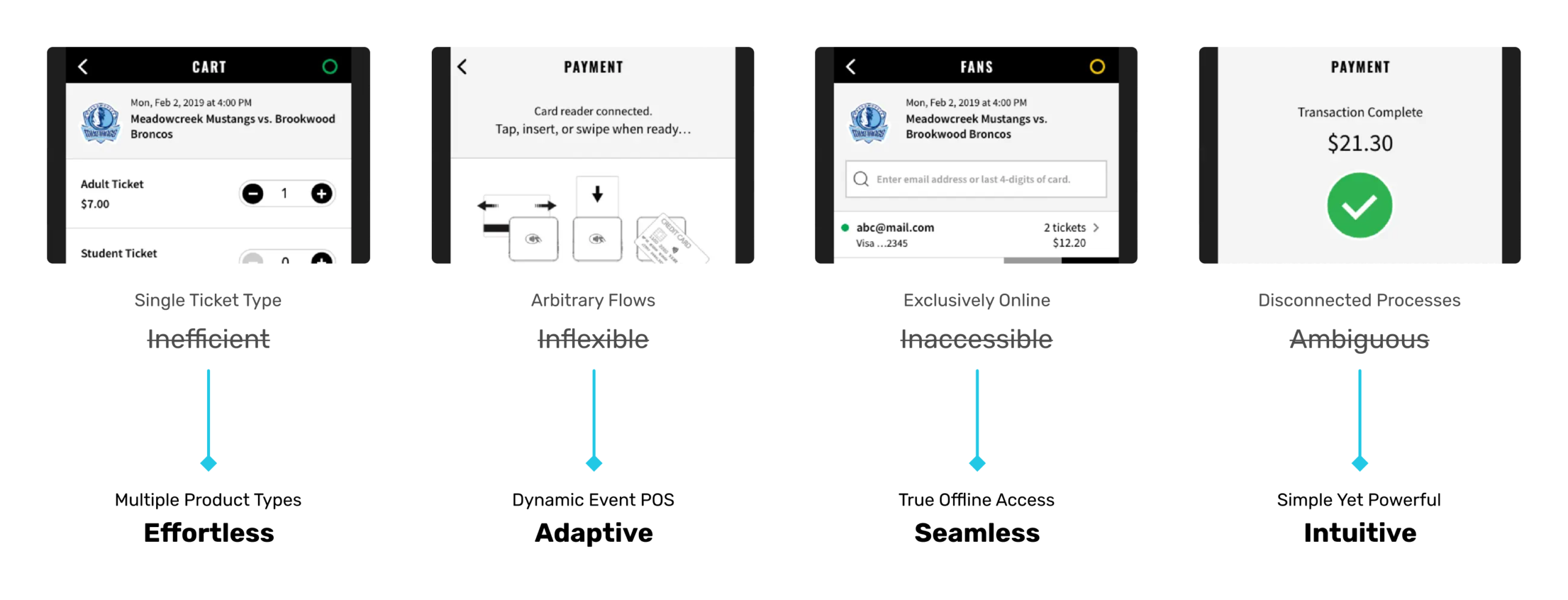
Major operational and logistical disruption happened for schools using the single-ticket POS flow for multiple product types, like parking passes, concessions, and fundraisers. This created disjointed processes and hundreds of hours lost in data reconciliation throughout the school year.
Additionally, critical issues kept rising at the gate, causing anxiety and frustration among ticket takers–often first-time volunteers–and fans when technical problems occurred. Fans would step aside and repurchase tickets themselves–often times–with help, further compounding longer lines, growing social disapproval, and increased refund requests and chargebacks. Fans would question service fees utility with an increasing preference for cash, while ticket takers managed with little recourse.
Overall, data analysis revealed:
From these insights, I designed Dynamic States and Dynamic Sheets, along with redesigning our emails to better empower our ticket takers and fans. At its core, the concepts are:
While our adjacent product teams such as HQ worked on giving schools the ability to sell other product types, we worked on integrating that data into Box Office.
To begin optimizing the ticket takers’ experience, we knew what tasks were truly important to quickly begin selling while also accommodating flexibility for future potential but unplanned features.
As a team, we agreed that a single place to start from when launching Box Office matched the “Where do I start?” mental model for all ticket takers. From a single point, we can bring focus to unified mini experiences, giving any ticket taker access at any time to any product and event, quickly switch between tasks like selling and validating tickets, and managing their card reader. Included also were important workflow changes that enabled us to ship and iterate quicker with reduced design and engineering overhead.
To support this initiative, I designed the shell of the Launch Pad, the starting ground that promotes focus through simplified navigation while also well informing ticket takers.
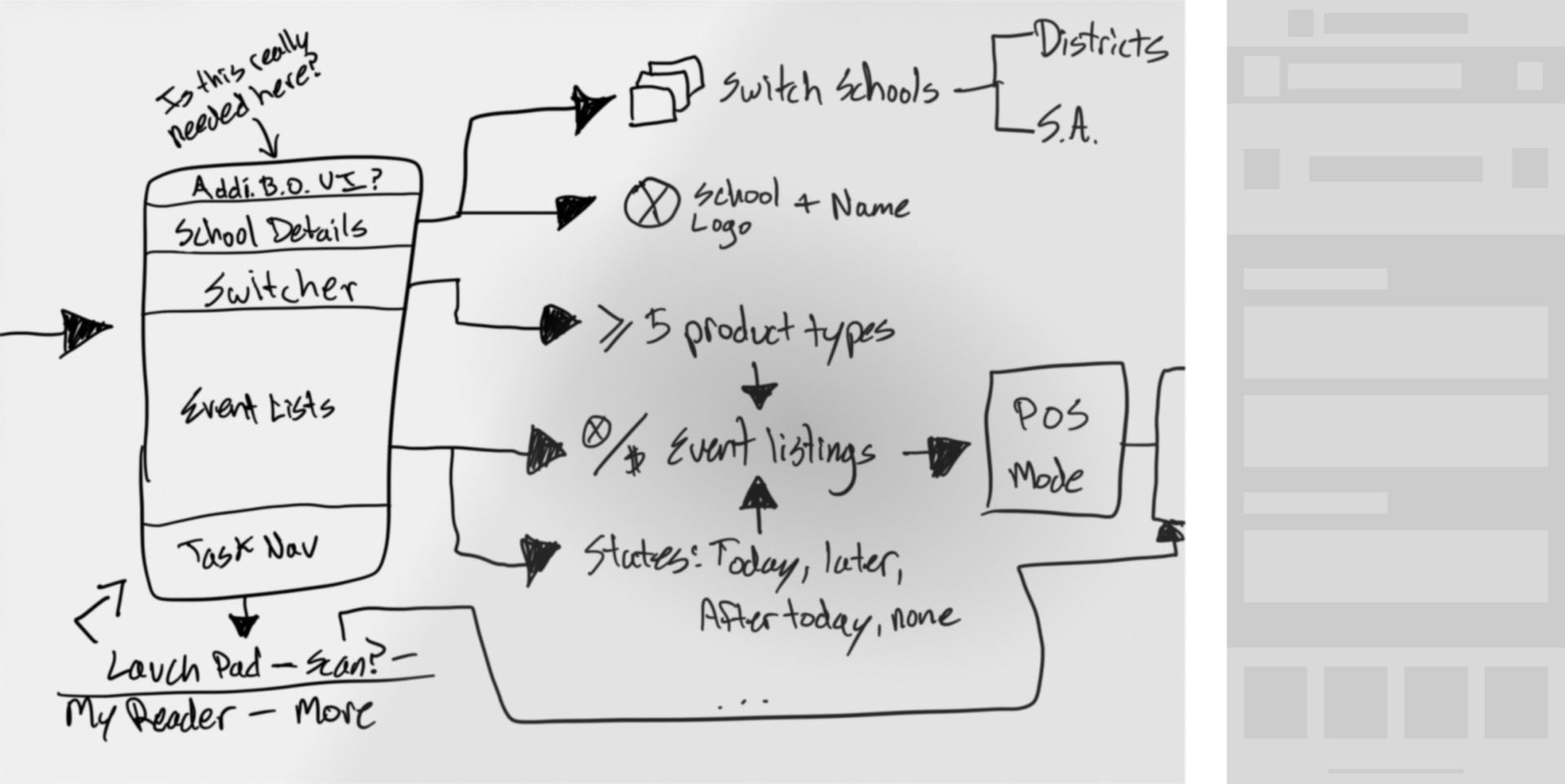
Early sketches and wireframes of the launch pad.
The Box Office primary goal is to sell items and redeem tickets and passes as quickly as possible. Additionally, managing sub-primary needs with card readers, fan check-in, and scanning QR codes, and ancillary tasks such as updating their Box Office profile settings also need to be accounted for. I also opted for flexibility–accommodating up to 6 icon tiles–and planning for potential unknown features that could’ve required its own icon such as scanning which turned out to be an example.
I designed for more intuitive states per icon tile, and removed the old fan check-in since it was being rebuilt to support newer features.
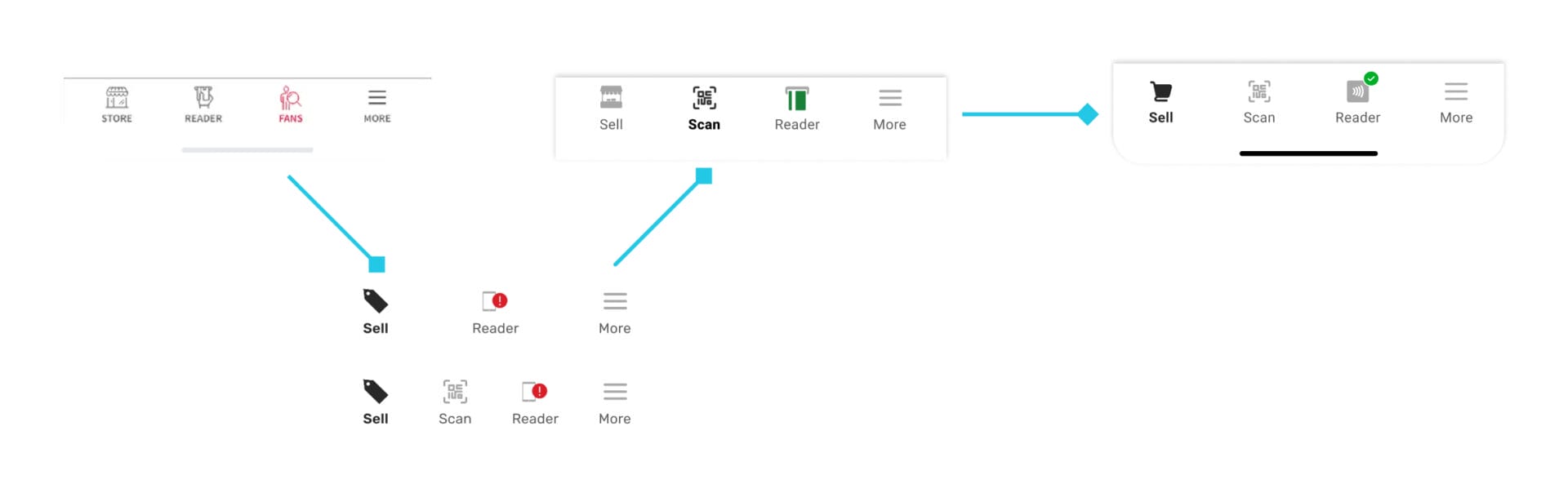
Navigational evolution from 2019 to 2025 (left to right)
A unified launch pad aligns with user mental models of predictability, consistency and repetition, with advantages for quick navigation, accessing product types and real-time event instantly.
To build on the navigational experience, I designed the Product Switcher feature focused on giving you any event within any product type effortlessly.
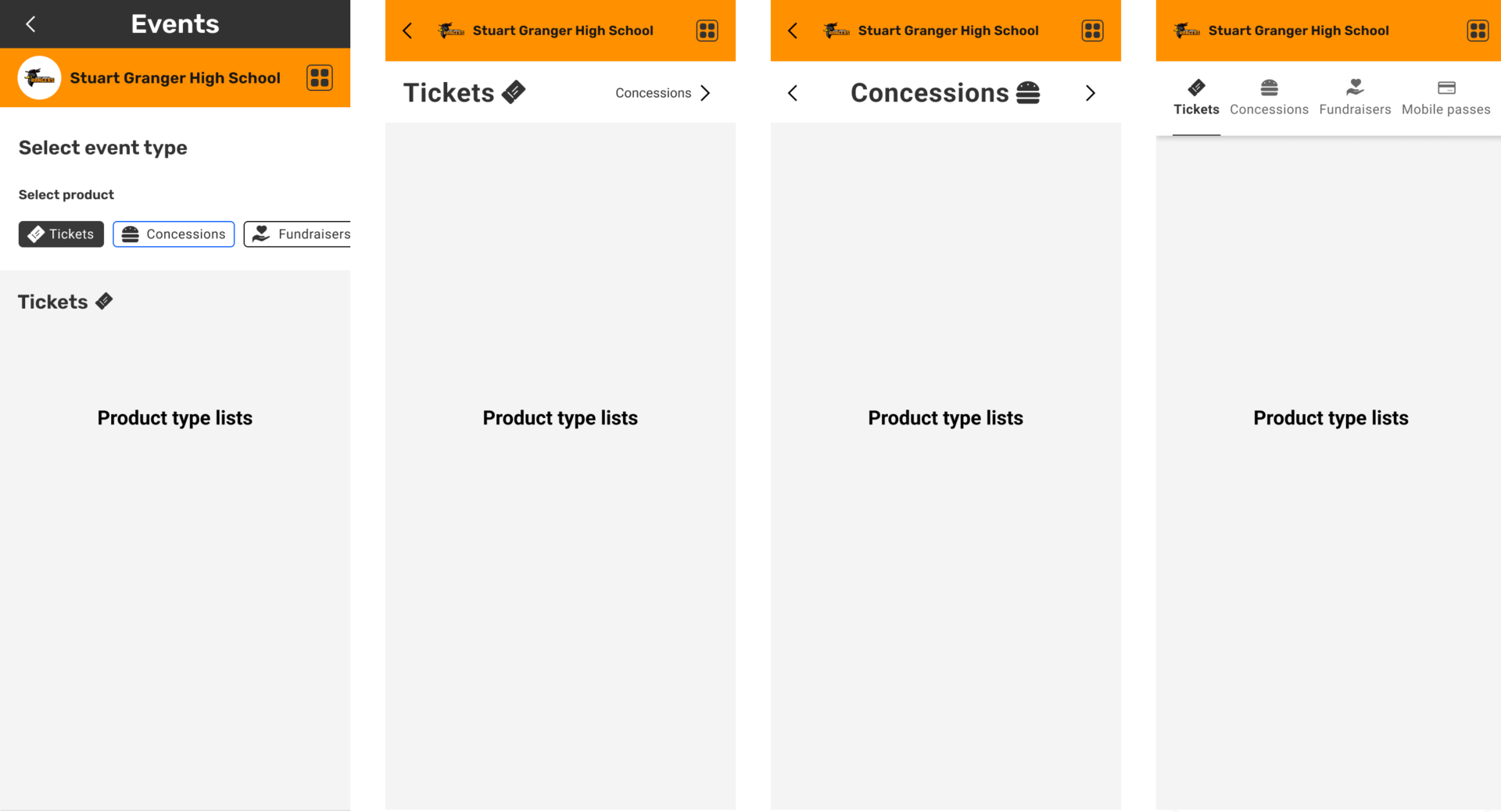
Early explorations (first three) and evolution (last) of the Box Office product switcher in the smallest device configuration (320px), focused on simplicity and speed.
Tickets was the first product type I redesigned, setting the foundation for all other product types. Concessions looked identical, because it was still the same event but with a different flow post click-through.
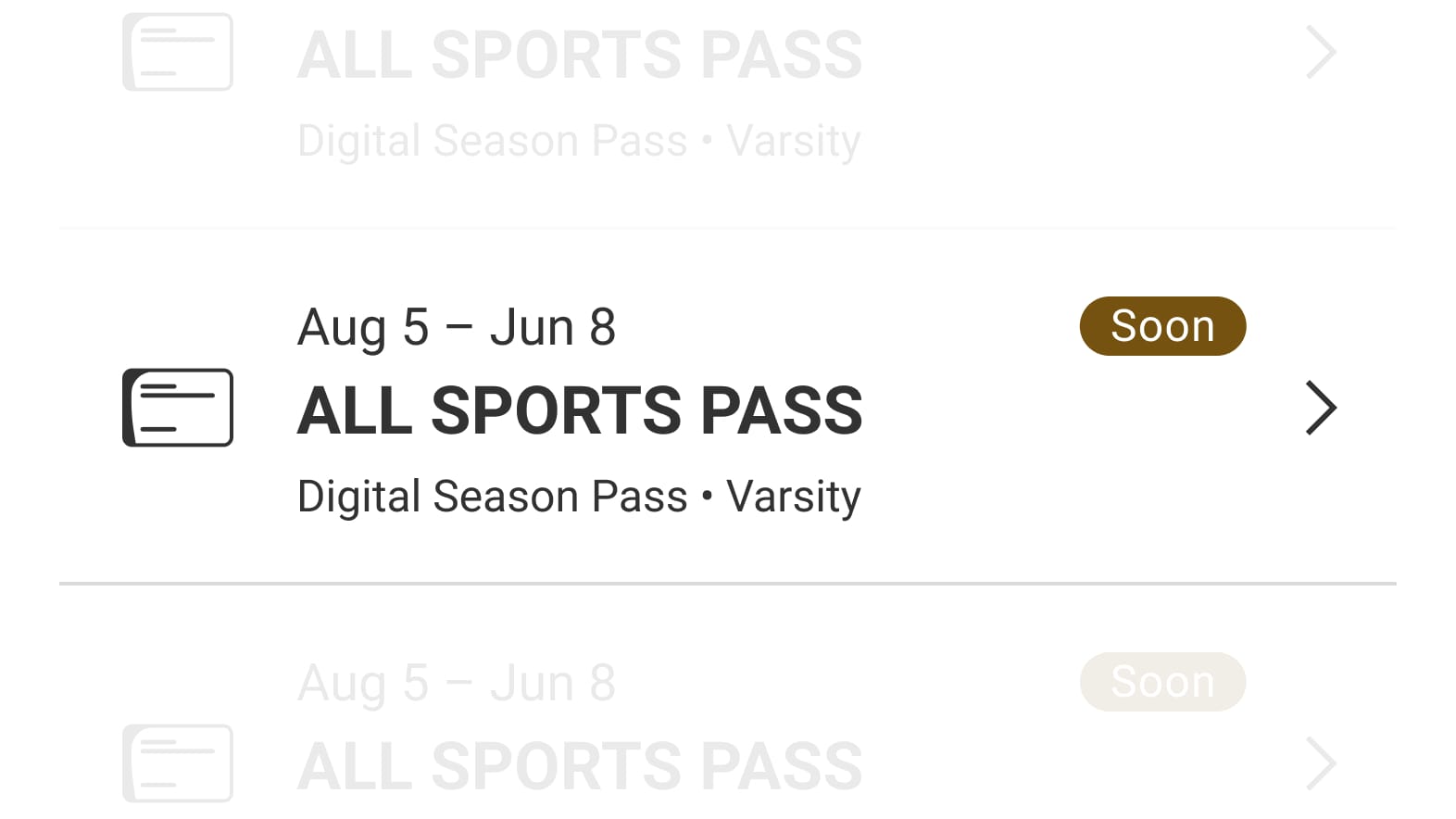
Mobile passes use dates often times were ranges. Schools also typically had restrictions such as sport type or grade level, so I made the type of pass and top-level restriction clearly visible.
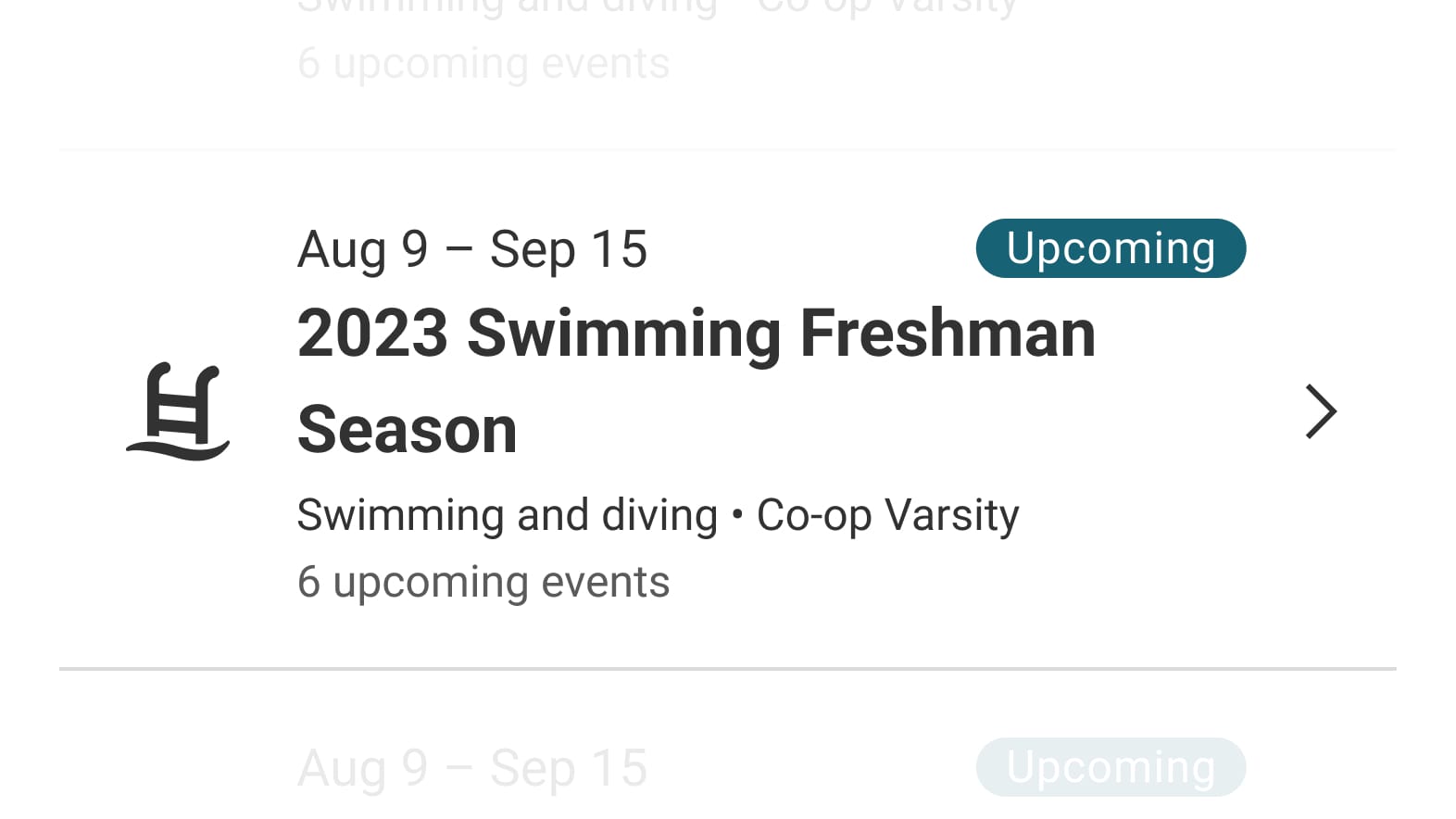
Many schools offered season ticket packs, essentially bundles of tickets for a group of events. Emphasis here is surfacing how many events it’s valid for along with the new date range.
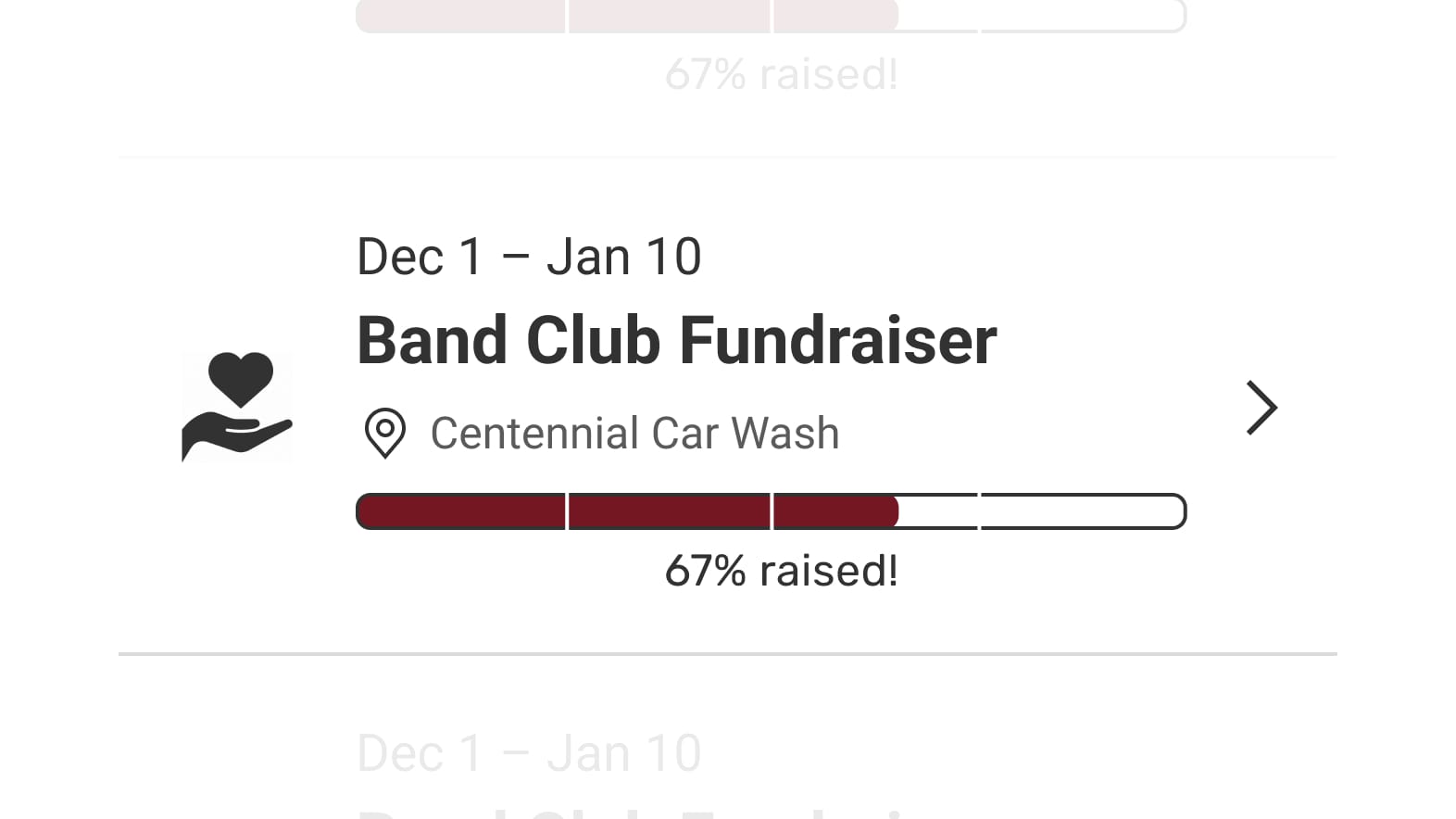
Intrinsically emotional, parents do what they can to support their child’s programs and experiences. School-branded progress bars evoked positive emotions and included real-time funding statuses baked in with different logic based on funded amounts: “Be the first to donate”, “[donationPercentage]% raised!”, and “Funded!”
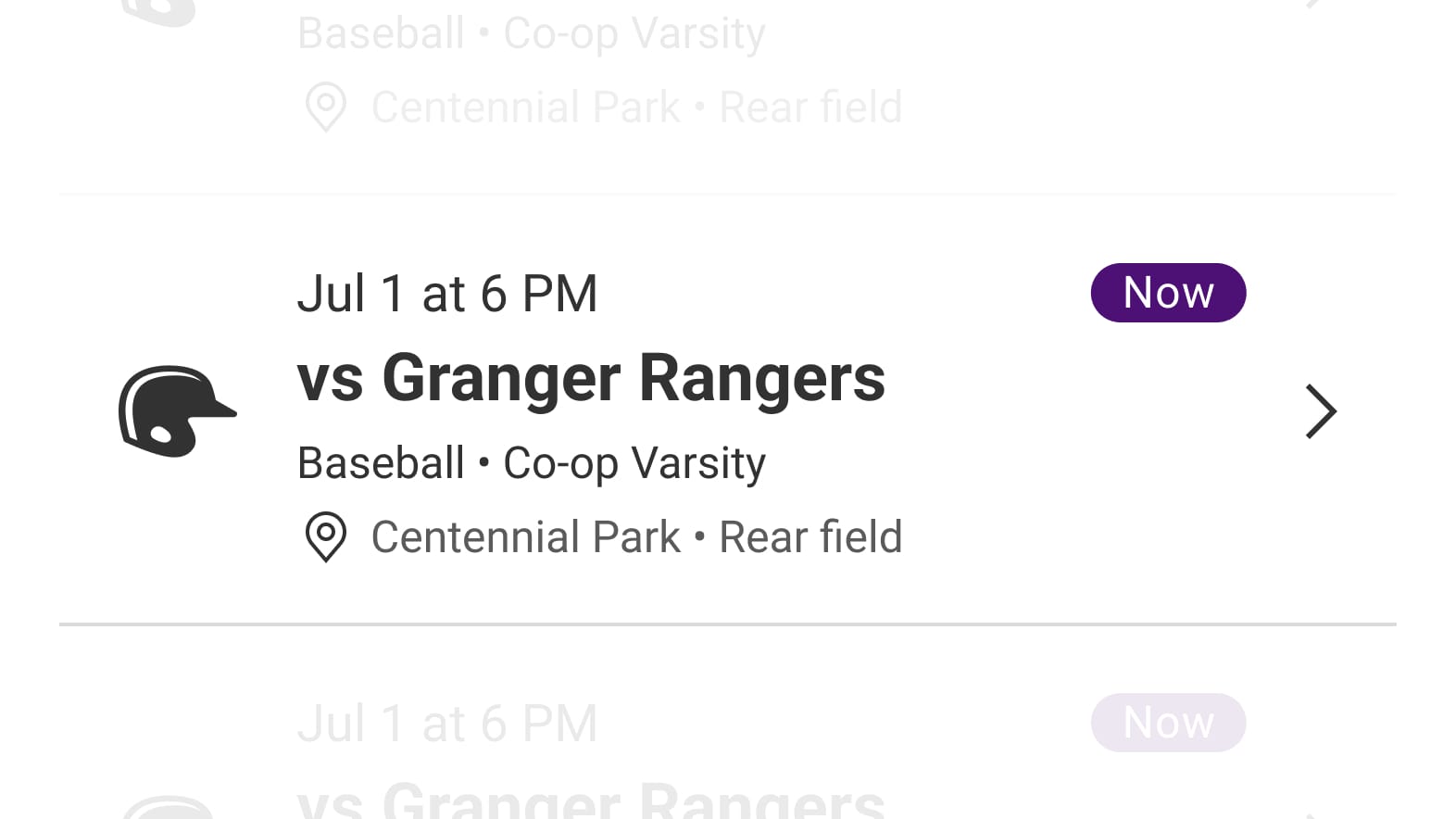
Following design unification, I designed a consistent pattern for each product type item and list, which increased event count above the fold by 25% in the launch pad. This also brought support for additional venue data when added into HQ, visual additions with iconography and fundraiser progress bars, and refined time and location logic. I designed the Dynamic Event Status chip feature with 4 context-aware states: “Now”, “Upcoming”, “Passed”, and “Soon” which appears within 2 hours of event, anchoring ticket takers during peak check-in times.
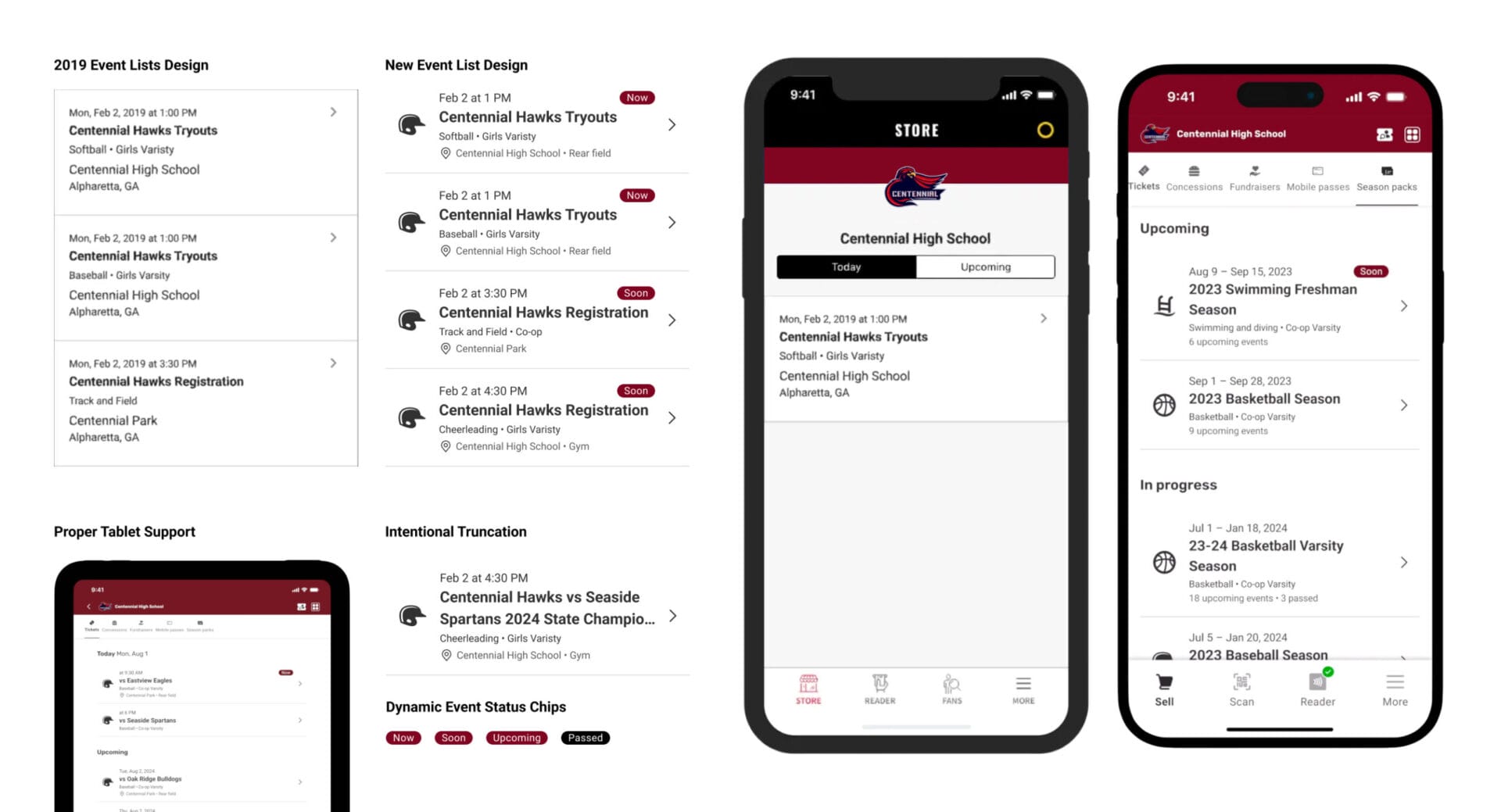
Top left (left to right), right (left to right) evolution of event lists from 2019 to 2025.
Schools sell tickets in wildly different ways: gate‑takers at games, self‐serve kiosks for fundraisers and advance passes that are scanned days later. The old app forced every ticket through one static flow, causing work‑arounds.
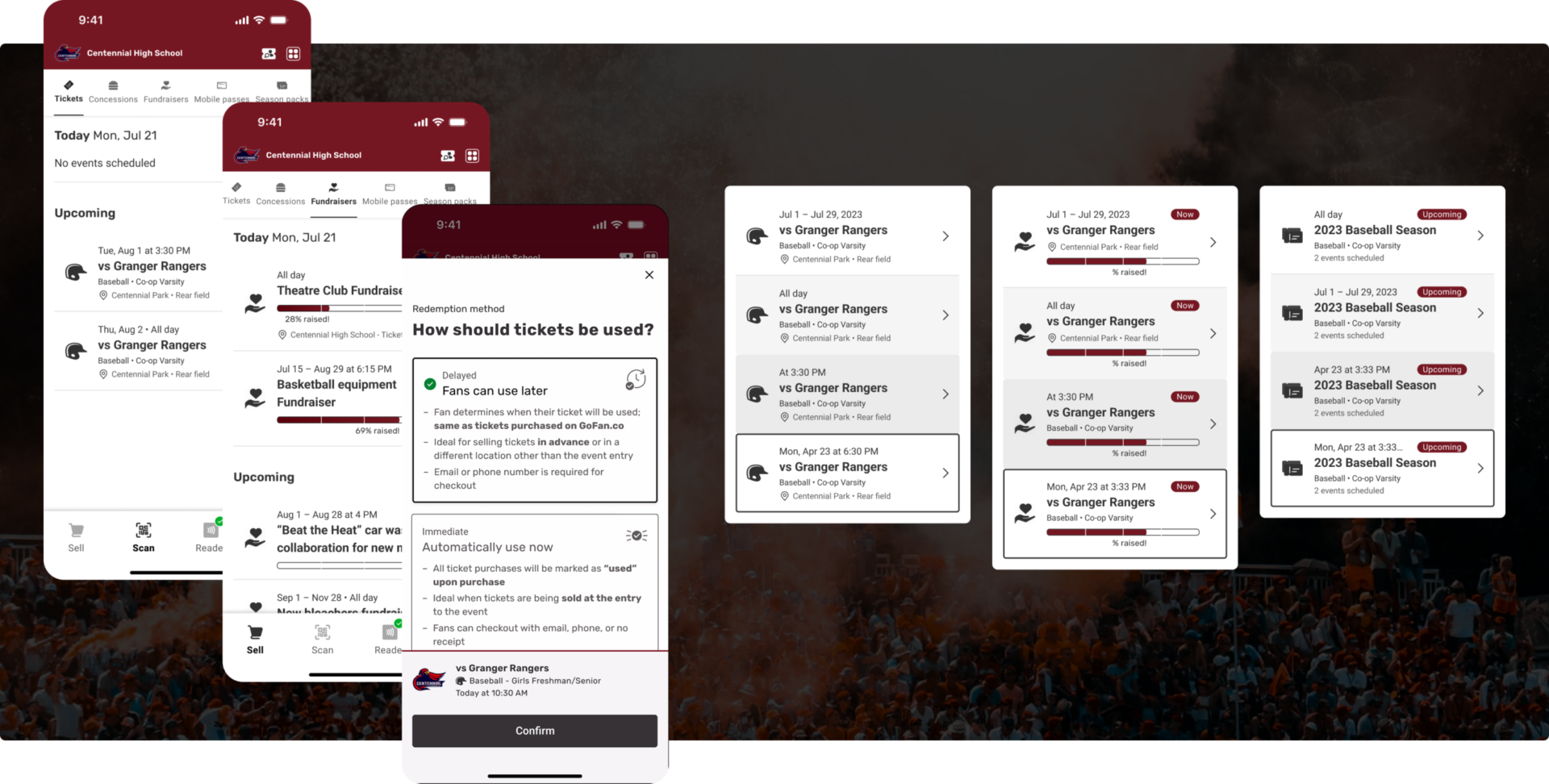
I designed the Dynamic Sheets feature that maximizes focus and ability while minimizing distraction and informational overload. Dynamic Sheets unifies data into a single area, sliding up when needed and guiding ticket takers through work flows while keeping them anchored.
I designed the redemption method feature which is a single, real‑time tile toggle that lets schools or ticket takers decide—per product type—in seconds whether tickets, passes, or season packs are redeemed on the spot or later, without adding any extra steps for volunteers. Changing methods can be done on the fly with a persistent button where the ticket taker can pick:
Dynamic Sheets set the foundation for adaptive transactions.
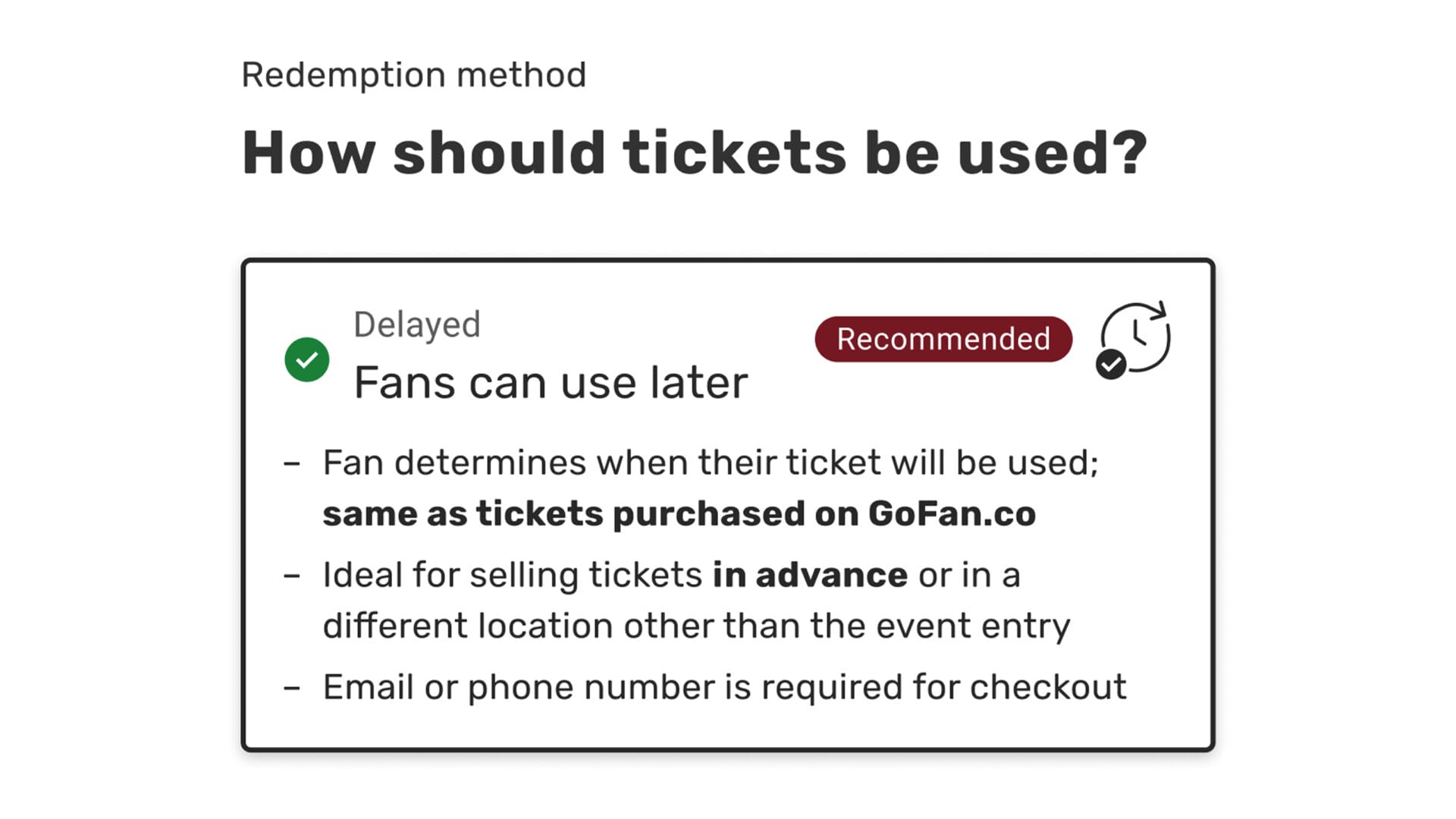
Tickets, mobile passes, and season packs need a redemption method as there is a validation element for fans to enter with these product types.
Upon setting a redemption method, the persistent method link button animates from a bold to a regular state, which on tap can be changed right away or hours later.
Unifying each product type in the launch pad allows for effortless events navigation and orientation in high-pressure environments such as the event entrance gates and concession stands.
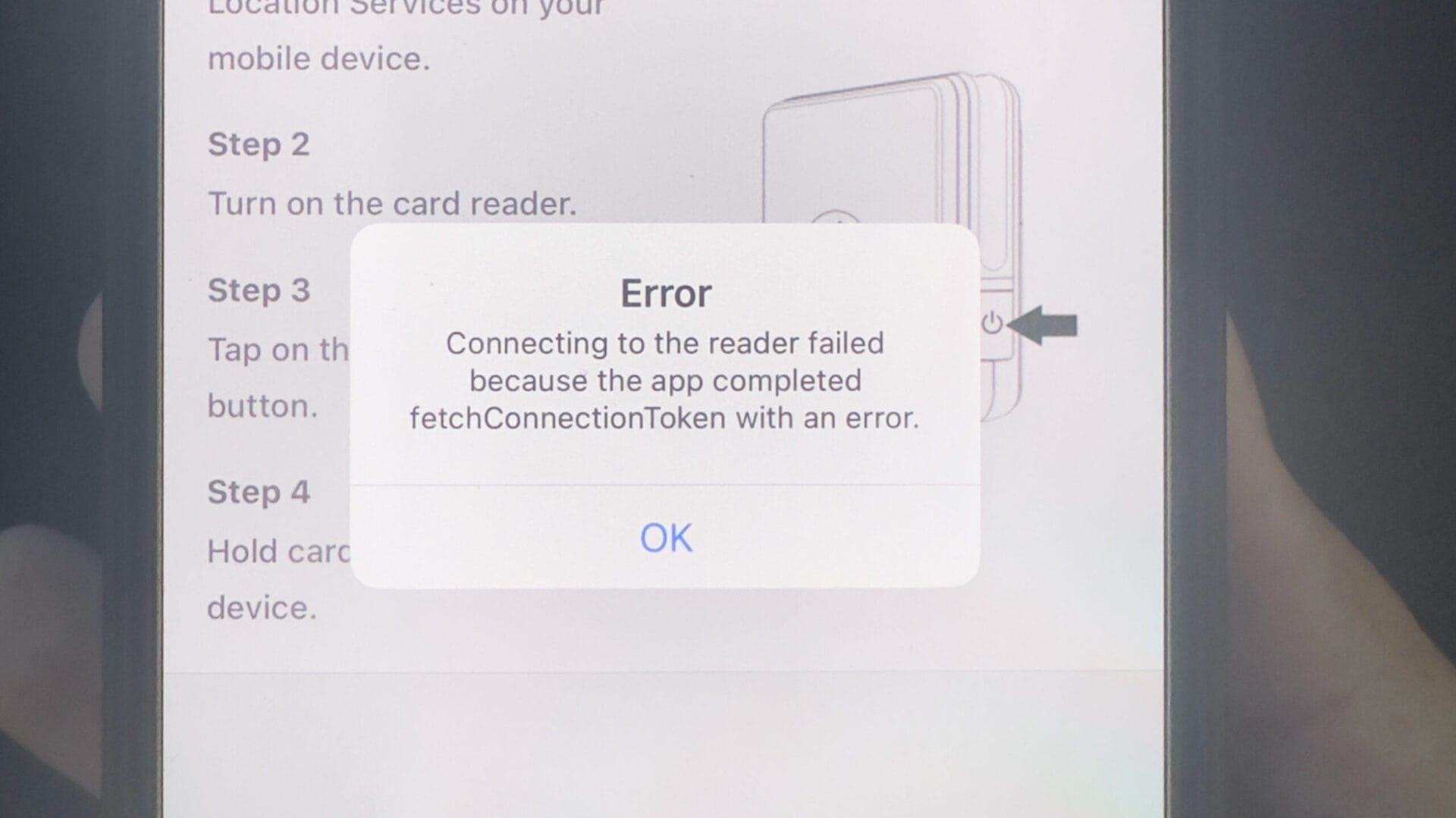
Before the redesign, updating a GoFan Box Office reader on game day showed only: “Keep app open – update may take up to 15 minutes.” No progress bar, no timer. Volunteers stared at a blank screen as gates neared opening; without feedback they lost trust, and even fell back to cash as a fail-safe way to process growing lines, even though digital payment was available.
Tickets, mobile passes, and season packs need a redemption method as there is a validation element for fans to enter with these product types.

Upon setting a redemption method, the persistent method link button animates from a bold to a regular state, which on tap can be changed right away or hours later.
With the offshore engineering team, we audited Stripe’s SDK and mapped the update‑lifecycle to five conditions upon connecting the reader:
These states let us replace the prior vague messaging with a visual‑progress system feature I designed. Included is a live countdown (e.g., “8 min remaining”) pulled from SDK polling, a custom animated progress bar (0–100%), and contextual microcopy (“Do not close the app”).
Once updated, we provided ticket takers with full control and transparency: bluetooth and location prompts appeared only when needed via native iOS UI, eliminating upfront pop‑ups.
Two reader models—light and dark—with different physical buttons caused confusion in the field. I designed the reader selector feature as a button toggle. When pairing, discovered readers would appear, and making connecting a breeze. After connection, a color‑matched graphic of the actual reader appears, instantly building confidence. This is located in the Reader Panel feature I designed, the centralized dashboard showing battery level, firmware status, devices names, and one‑tap support tiles. I advocated to maximize reader pairing as part of the new experience, so we ushered in reader naming to name readers helpful for assigning such as “Concessions” or “Gate 3”.
Ticket takers can know exactly where they are at updating their readers, and even be given the option to update well ahead of time to give schools a chance to update ahead of time.
Pairing the reader is now easier than ever with intuitive step wizards to guide the process, complete with matching visuals of your actual reader hardware.
Multiple readers can now be digitally identified with reader renaming, allowing enhanced organization and provisioning.
Schools essentially run small businesses, and when money is involved clarity isn’t optional, in the back office or at Box Office. Prior to reworking the checkout systems, I actually had led the design for the financial technology (fintech) arm dashboards of PlayOn which equipped me with a deep view of transactional-based data. This is where I fathomed the breadth of data schools either had or wanted, much of which lived in several separate silos including: Box Office (onsite tickets & concessions), GoFan (online sales), and HQ (raw aggregates).
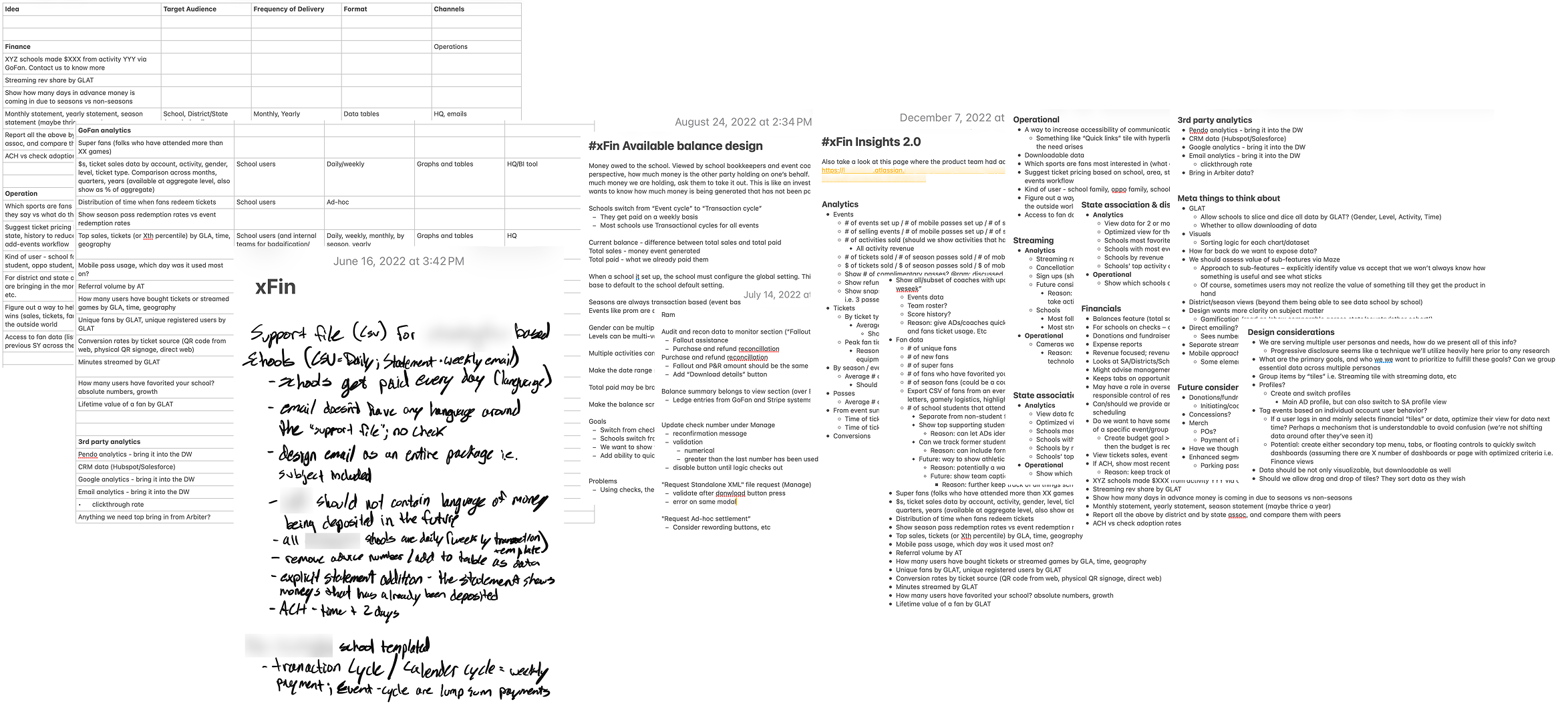
Some of my notes throughout 2022-2023, learning the ins and outs of our fintech with our finance director Ram Rameshan.
The process of designing the centralized Financial Hub paid off, which became the operational backbone for school finances. Thought I won’t go into depth here, I partnered with three stakeholder groups: the bookkeepers who use it daily, our internal accounting team (audit & reconciliation standards), and our fintech product director Ram to align data schemas.
Essentially, it came down to 3 main pillars:
Thie xFin project became my backbone for thinking through, understanding, and designing a scalable checkout POS.
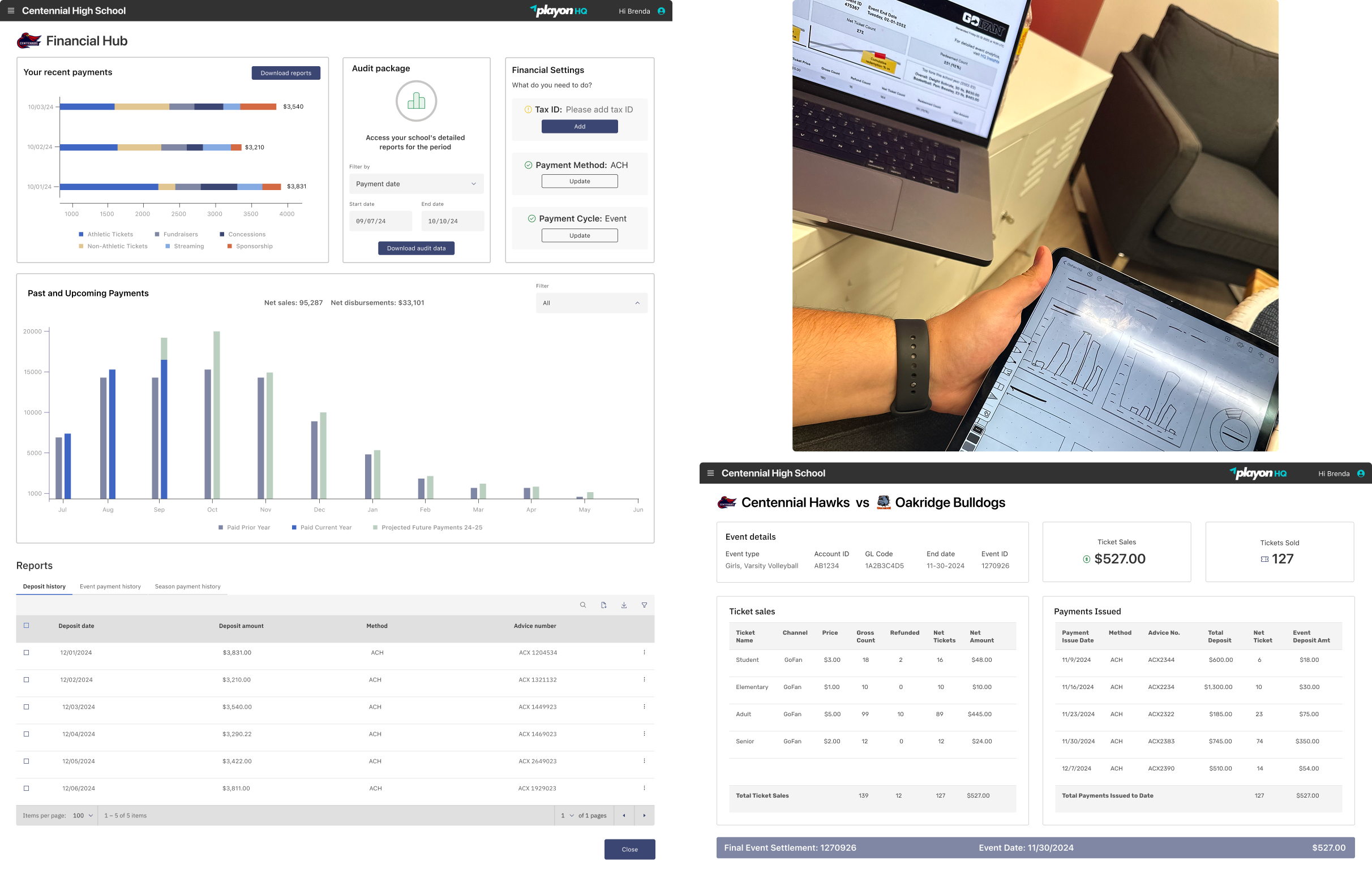
Finance Hub (left), Final Event Settlement (bottom right), and some early concepts (top right). These are the 2025 reskinned and feature-added versions by fellow product designer Lauren Tobolski.
Knowing that ticket takers primarily sell items, and scan and validate tickets / passes allowed us to do the heavy lifting of making checkout as seamless and intuitive as we could for them. The Box Office POS needed to process multiple complex products simply enough to let even first-time volunteers to confidently checkout quickly while also guiding them through worrisome errors. The Dynamic Sheet and Smart Dash framework was by far the most complex part of the project.
At the core of this framework were these concepts:

Having each product type also follow the exact same transactional path–even for free items–would continue to preserve a single mental model for volunteers and eliminated extra training.
Working iteratively with our offshore engineering team, the Stripe SDK audit let us map the reader‑payment-lifecycle to six states. I mapped every card‑reader condition to a responsive UI complete with buttons that morph based on context:
I designed the transactional experience to allow for changes on the fly in a highly dynamic workflow for ticketing and item purchasing. Box Office does the heavy lifting to show you only the required steps based on your selections, and keeps data persistent whenever a change is made during the transaction. To accomplish this, I repurposed multiple items into Dynamic Sheets:
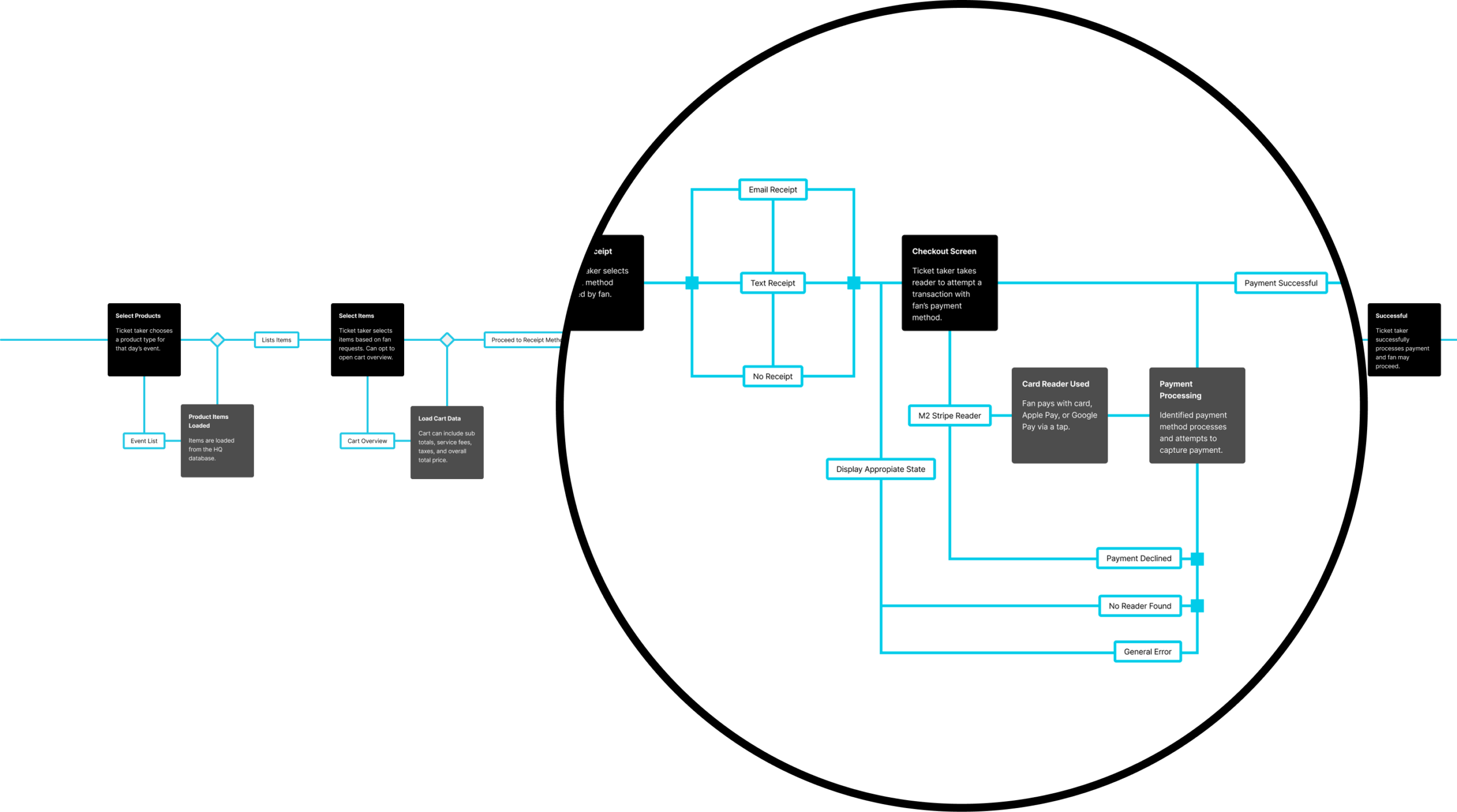
This shows the adaptability of our transaction flow, where each step adapts to the context of the transaction.
Knowing that ticket takers primarily sell items, and scan and validate tickets and passes allowed us to do the heavy lifting of making checkout as seamless and intuitive as we could for them. The Box Office POS needed to process multiple complex products simply enough to let even first-time volunteers to confidently checkout quickly while also guiding them through worrisome errors. The Dynamic Sheet and Smart Dash framework was by far the most complex part of the project.
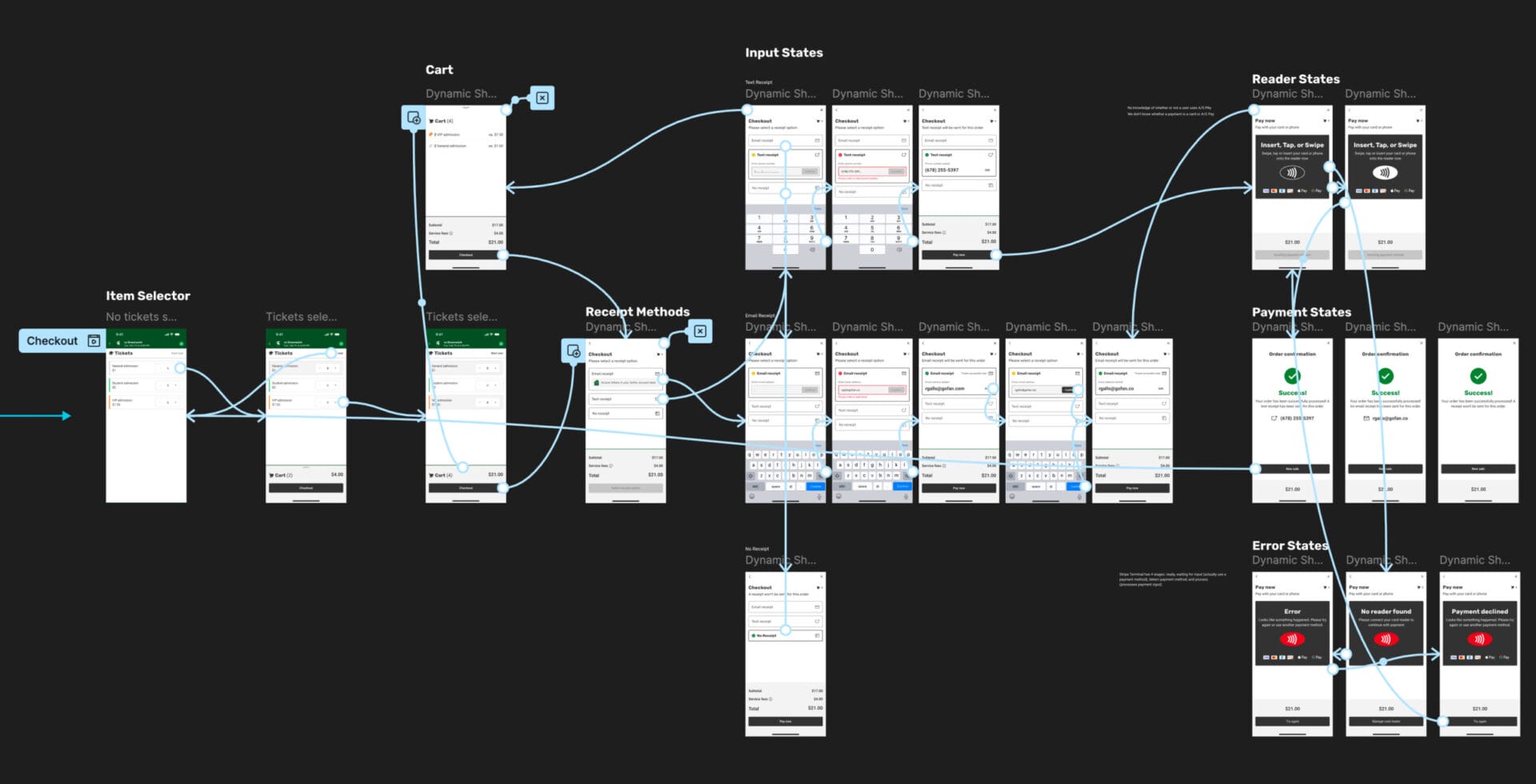
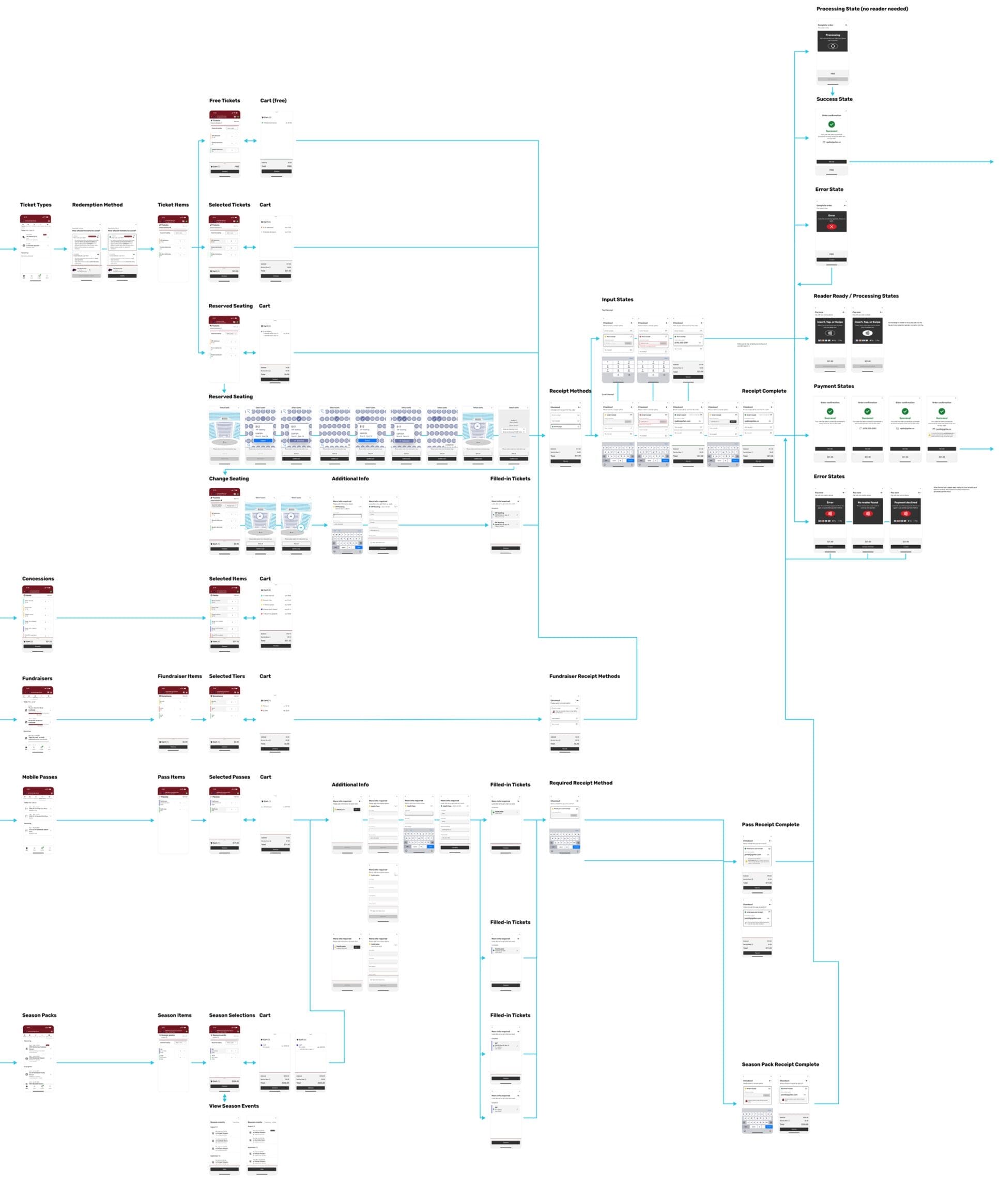
I redesigned the entire checkout flow to guide users through every possible state, not just the happy path.
The rollout of new state laws turned pricing into a legal minefield. In California and Minnesota schools had to show fees upfront. Other states added similar transparency rules. This led to several schools and school districts communicating that they’ll have to look elsewhere since we showed the price break down later in the flow.
Around this time, we also starting to tackle cash handling and taxes, and together we built a robust system for collecting cash, adjusting for taxes, and displaying pricing breakdowns sooner. I designed Box Office’s pricing engine based on hard requirements by my PM so it could meet each state‑specific rule without cluttering the UI. We validated potential with a beta run with a dozen pilot schools, and had hugely successful outcomes, retaining over $250,000 in annual revenue.
I have intentionally omitted confidential data here.
I simulated real-time cash, tax, and service fee calculations using Figma variables, modes, and programming logic, enabling us to test and demo on the fly.
In high‑pressure events a single “I can’t find my ticket” moment ruins the fan experience. Fans often had valid tickets but couldn‑t prove it:
Without verification volunteers either risked fraud or denied entry, eroding trust. We already had a way to look up fans prior to the rebuild, but it had to be rebuilt to support upcoming features. However, by this stage it was already built, and our team go together to determine the best path for integrating the new HQ fan look up experience into Box Office.
My product manager put together a high-level workflow through technical discussions with engineering and my contributions. From this, I designed the Fan Lookup feature that bridges Box Office with PlayOn HQ, giving volunteers real‑time access to every ticket regardless of device state. Here is how it works:
A new fan lookup icon is shown in the event list view, and on tap a Dynamic Sheet slides up to show a webview of HQ. Before game day, staff pre‑authenticated securely, then ticket takers would simply:
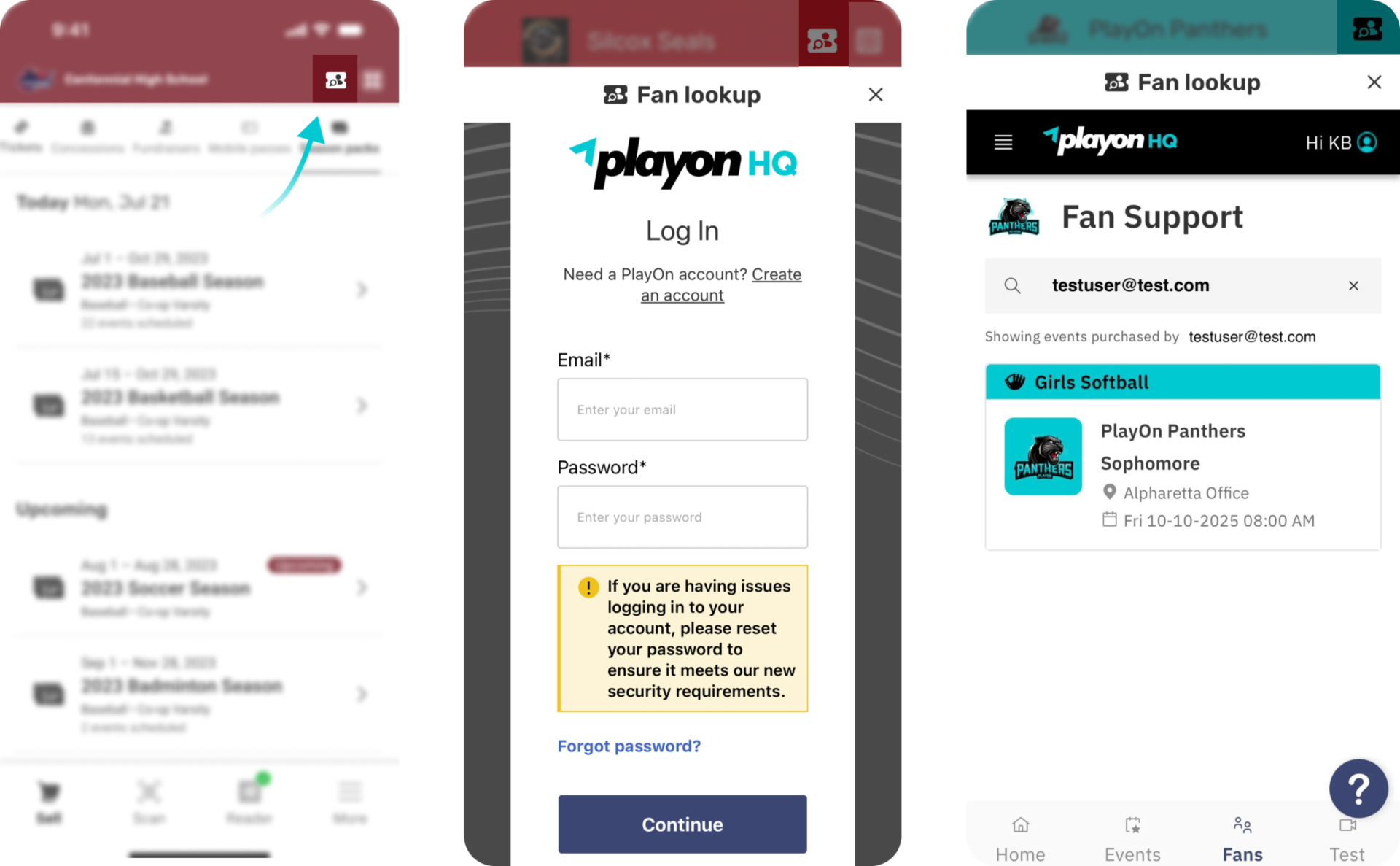
Open Fan Lookup in Box Office (left), and access HQ for your school to search and let fans in (middle, right). HQ designed by Lauren Tobolski.
When the pandemic forced touch‑less events we assumed every fan had a smartphone. However, in many rural, under‐resourced schools the signal dropped or Wi‑Fi wasn’t available at gate time. Fans couldn’t open their tickets, leading to refunds, chargebacks and schools thinking “to look elsewhere.”
This led to an urgent redesign that treated scannable, printable tickets as a first‑class admission path—not just an afterthought—via my PM’s high-level technical requirements I contributed to. Here were the focal points:
I added an always‑visible Scan tab to facilitate a quick scan for ticket takers in Box Office. One tap opens the camera and accepts QR codes from email, in‐app tickets or printed PDFs—no login required via a webview dynamic sheet. Each code maps to a unique event + order ID and is validated on the backend, so scans are auditable even when offline
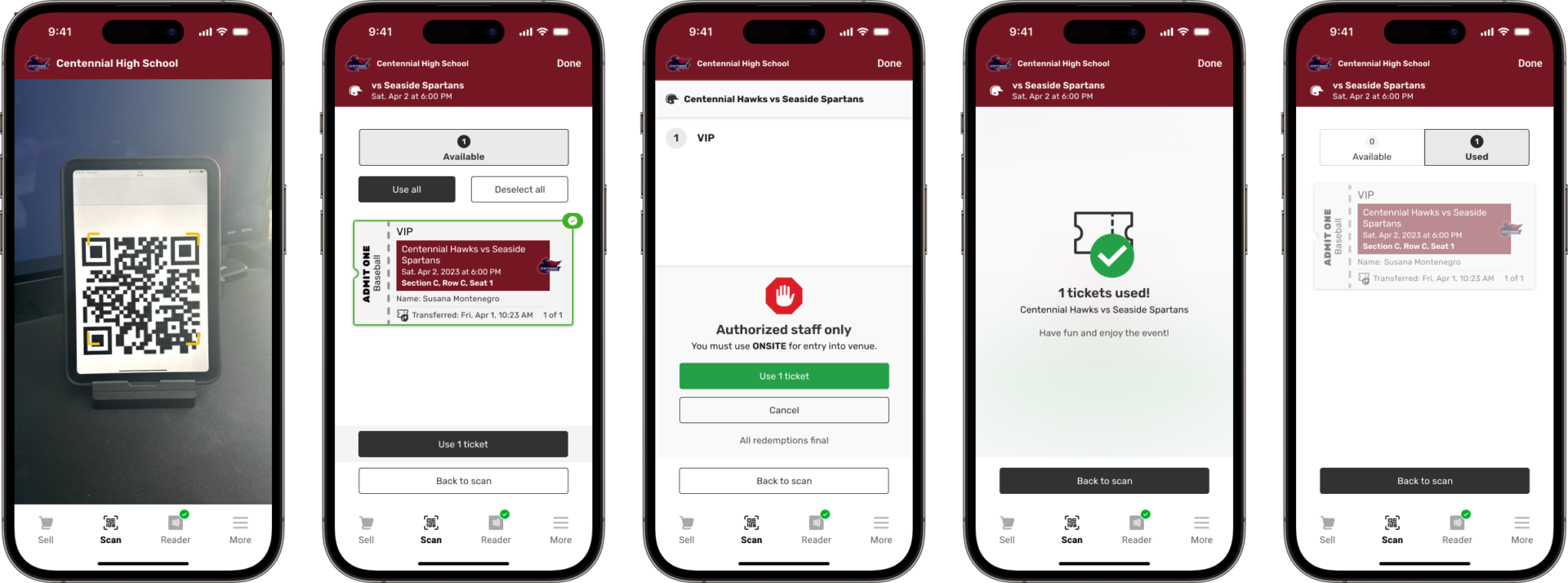
The entire scanning workflow made simple.
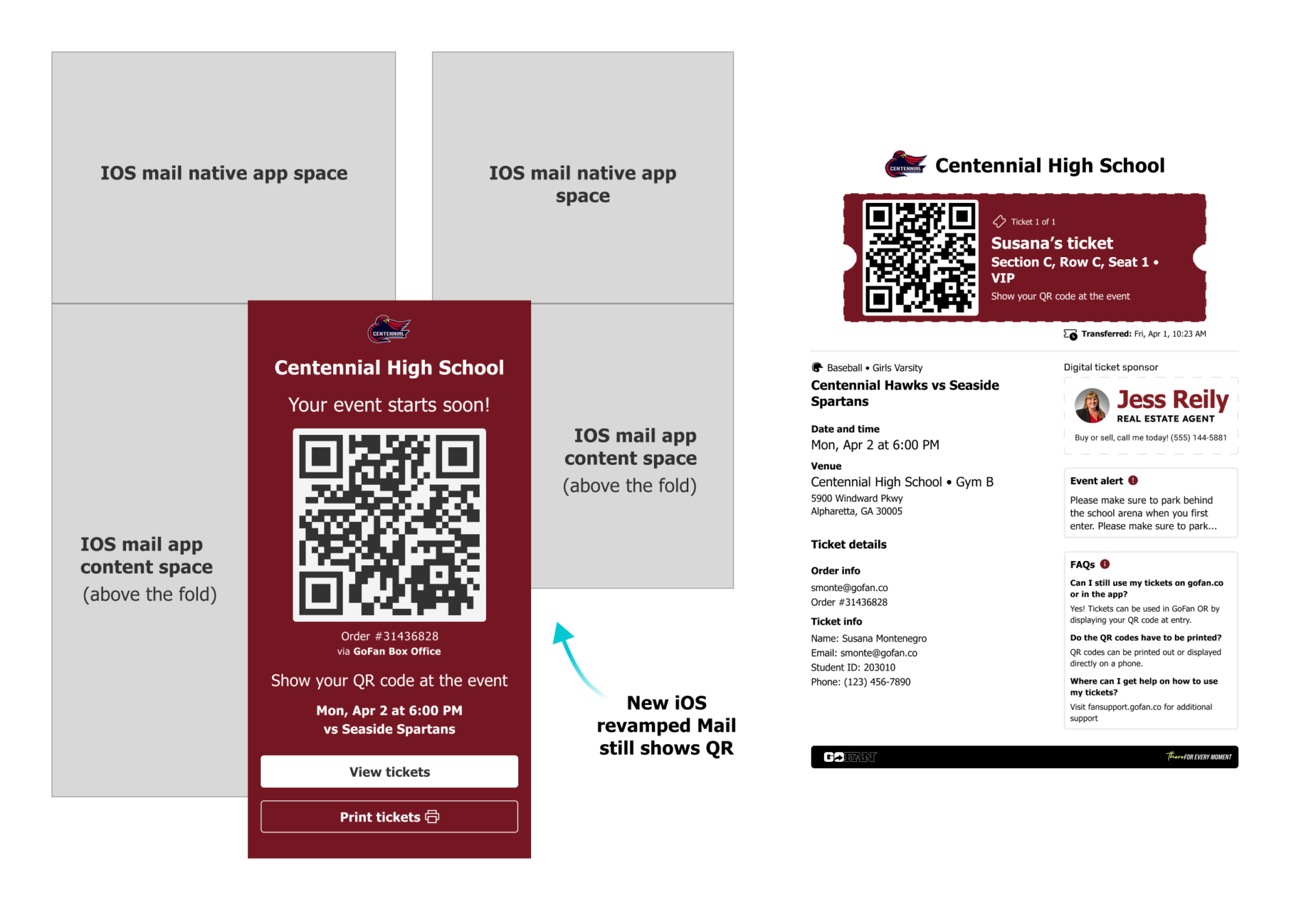
I designed the QR codes, print ticket buttons, and physical ticket PDFs to ensure multiple points of delivery and redemption for fans and ticket takers, respectively.
During the redesign of the Box Office experience, I led a comprehensive overhaul of the Sketch design system from scratch in Figma with a focus on accessibility, consistency, maintainability, and scalability. The goal was to create a system that would provide clarity between design and engineering, minimize handoff errors, and ensure a seamless user experience. Thought just some of the components of the library, some highlight pillars were the following:

I designed my design system to be iterated on quickly, often times on the fly, as a scrappy way to adjust it during limited time projects.
After a year of development—navigating technical delays and tight cross‑team alignment with my amazing PMs, engineering, and QA teams—the Box Office redesign entered launch readiness. I took ownership of the final mile: creating end‑to‐end App Store and Play Market assets that communicated value, not just features. I produced iPhone (all sizes) + iPad mockups, creating blown‑up UI so as spotlights
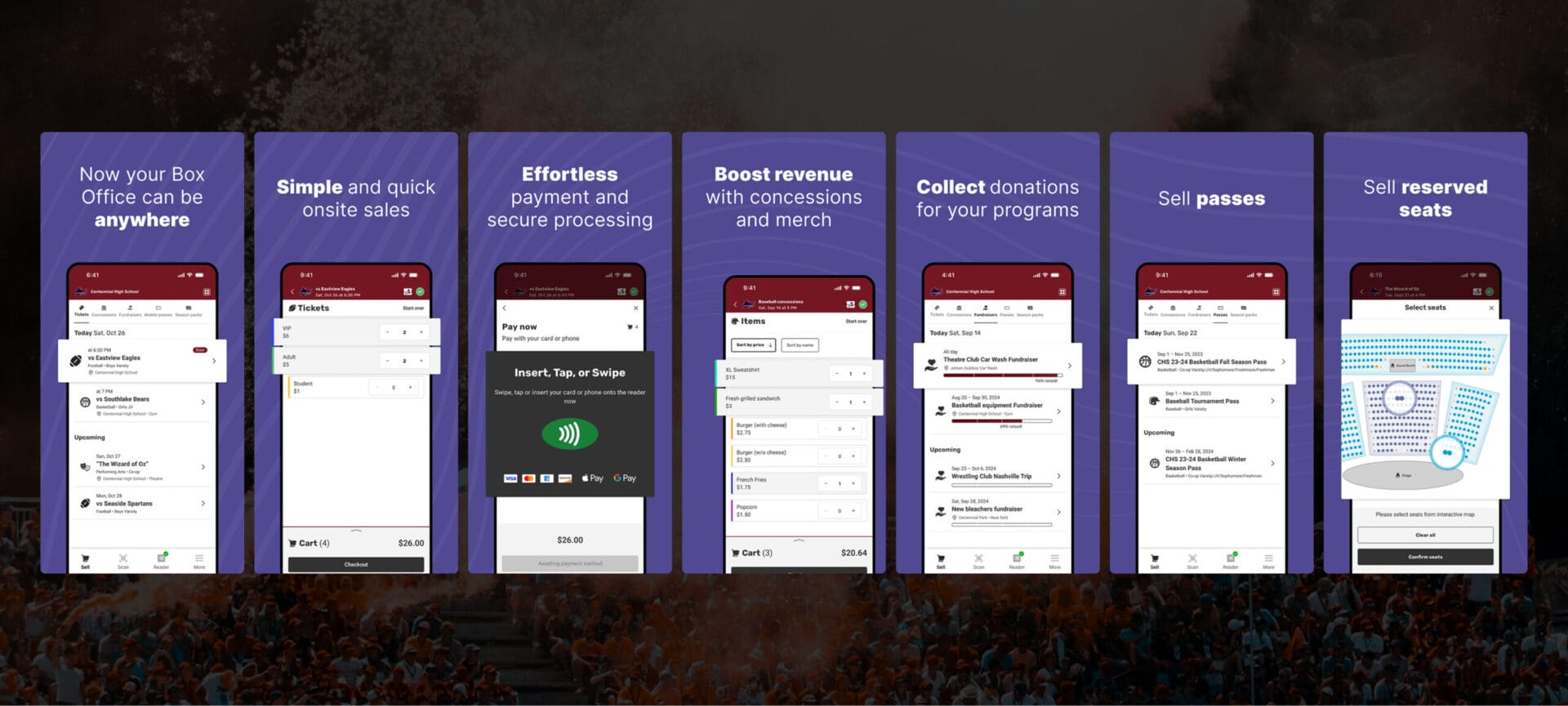
All graphics were built in Adobe Photoshop and sourced from Figma with auto‑layout and component variants, exported at the exact Apple/Google specifications for a frictionless engineer handoff.
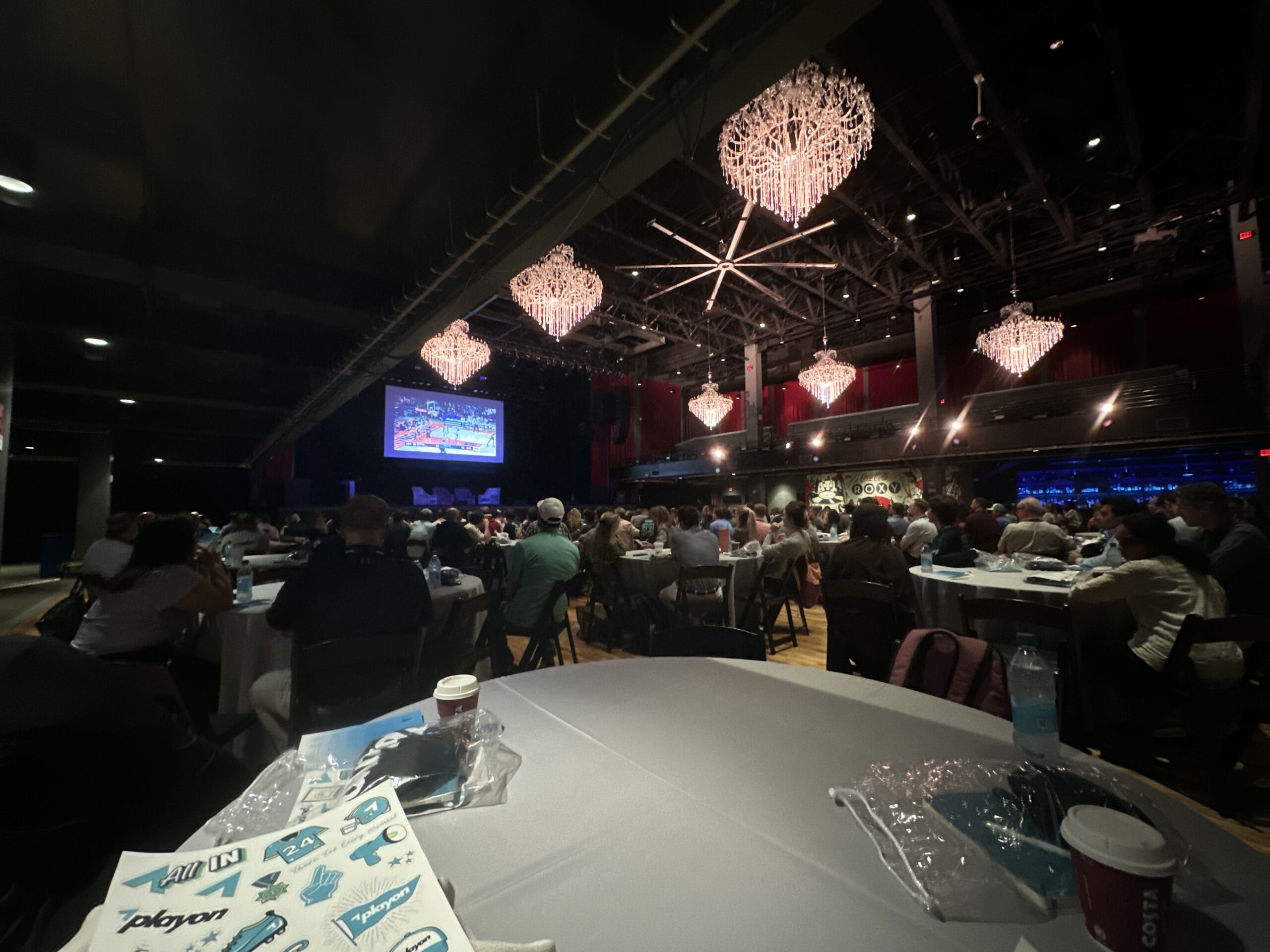
I made this video as a teaser for the entire company and guest schools to see, showcasing the ultimate fan app and Box Office towards the end.
An exciting launch webinar took place for schools to check out what’s new; Box Office spear headed by my product manager Chris Weekly.
Shipping Box Office wasn’t just a product milestone—it proved that design lives at the intersection of policy, equity and technology. Every pixel had to serve a school district‑volunteer team–student ecosystem where “no phone” or dead battery meant exclusion. When we built for those edge cases, the app became a tool of inclusion rather than just efficiency. This wasn’t merely a feature release—it gave schools their first unified, secure flow for tickets + concessions and a visual story that sold confidence before the first download.
Our work was even featured on the Delaware Department of Education’s DIAA officiating us as the online platform for their ticketing which is pretty neat.
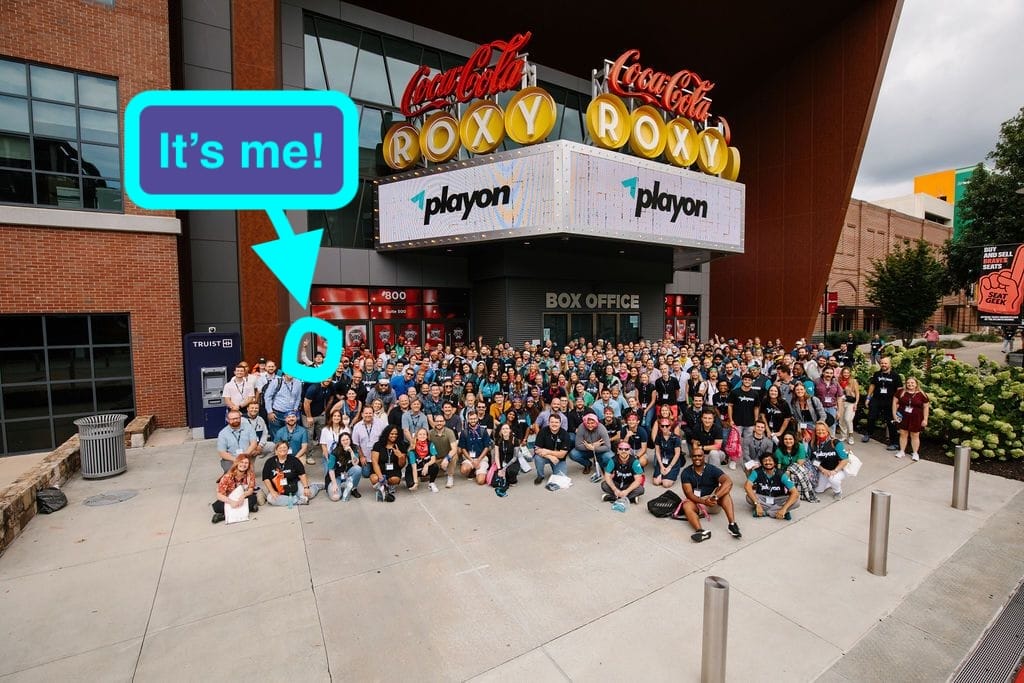
View Live App:
For confidentiality reasons I have omitted the actual values for these metrics.